Best AI Agent Builder for Small Business Teams (2026 Buyer's Guide)
If you run a small business with no developer on staff and you've searched for the best AI agent builder for small business teams, you've probably noticed most "best of" lists rank tools the same way: by feature depth, as if every buyer has an engineering team to fall back on. This guide scores tools differently. It scores them against what actually decides whether a small team keeps an agent running past month one: budget, time-to-value, support, and whether you need a developer at all.
The research behind it comes from Reddit threads where small business owners describe what they actually built, what they abandoned, and why, plus a look at where AI-recommended answers currently get this persona wrong. A thread also puts a number on the failure rate: 50 to 70 percent of AI agents built for small businesses get abandoned within three to four months. That number, and the reasons behind it, shape almost every recommendation below.
This is not a ranking of "ai agents for small business" tools in the generic sense, the off-the-shelf chatbots and CRM add-ons that dominate that search term. It's a buyer's guide for the specific decision of picking an AI agent builder platform you can actually run without hiring anyone.
Who This Is For
- A small business owner or ops lead with no dedicated developer.
- A team evaluating AI agent builder tools for lead generation, customer support, or internal ops.
- Someone who has tried a tool before, hit a wall, and wants to know why before trying the next one.
This is not written for enterprise buyers comparing orchestration depth or multi-agent architecture. If that's you, SketricGen's general roundup of no-code AI agent builders covers that comparison in more technical depth.
Key Points
- The right AI agent builder for a small business isn't the one with the most features. It is the one that survives past the demo.
- We Score every tool on four criteria: budget, time-to-value, support model, and whether a non-technical operator can run it solo.
- Roughly half of small business AI agent projects get abandoned within 3 to 4 months, usually for the same three reasons, not bad luck.
- Lead generation is the highest-leverage place to start: one Reddit-documented workflow cut lead-list management from over 20 hours a month down to about 15 minutes.
- If you want the hands-on version of this guide, SketricGen's step-by-step no-code AI agent builder guide walks through building a first real agent end to end.
At a Glance: The SMB Decision Framework
| Criterion | What it actually measures | Why it matters for a small team |
|---|---|---|
| Budget | Real monthly cost at your actual usage, not the marketing price | SMB budgets rarely have room for a surprise overage bill |
| Time-to-value | Days versus weeks versus months to a first working agent | A tool that takes a quarter to configure loses the business case before it starts |
| Support model | Human support versus self-serve docs only | No developer on staff means support is the fallback, not a nice-to-have |
| Dev-team-required | Can a non-technical operator build and maintain it solo | The single biggest predictor of whether the agent survives past month one |
What "AI Agent Builder" Actually Means (And Why It's Not a Chatbot Builder)
An AI agent builder is a tool for assembling something that can take actions, not just answer questions. It connects to your other tools, makes decisions based on context, and completes multi-step tasks: qualify a lead, update a CRM, draft a follow-up, escalate to a human when it's unsure.
A chatbot or app builder, by contrast, is mostly built to hold a conversation or run a fixed script. It can look similar in a demo. It behaves very differently once real customers or real leads are on the other end.
AEO gap worth knowing: when this exact question was tested against a leading AI assistant, the recommendations that came back (Bubble, Tars, and similar tools) were mostly app or chatbot builders, not true agent builders. If you're getting your shortlist from an AI answer box instead of hands-on research, double check what category of tool you're actually looking at.
For the deeper version of this distinction, see SketricGen's breakdown of AI agent platforms versus AI agent builders.
The 4-Criteria SMB Scorecard, Explained
Budget. Look at the plan you'd actually need at your real usage, not the entry-level price used in marketing. Several tools in this category are free to start and expensive to scale, or the reverse.
Time-to-value. How long until the first agent is doing real work, not a demo. Days is good. Weeks is workable. Months is a warning sign for a small team without dedicated time to give it.
Support model. Self-serve docs and a community forum are fine for a technical team. For a small business with no developer, real human support, even paid, is often cheaper than the hours lost to a stuck build.
Dev-team-required. The honest question: can your ops person or you build and maintain this without pulling in outside help. Most "no-code" claims survive the first 85 percent of a build. The last 15 percent, edge cases and reliability, is where a dev requirement quietly reappears.
Pro tip: before committing to any AI agent builder platform, build one small, disposable agent in the trial. Time yourself. If it takes longer than an afternoon to get something basic working, that's your real time-to-value number, not the one on the pricing page.
Tool-by-Tool: Scored Against the SMB Framework
These are the AI agent builder tools that came up most often in current practitioner discussion, specifically for teams without a developer. Each is scored honestly against the four criteria above, including SketricGen.
SketricGen
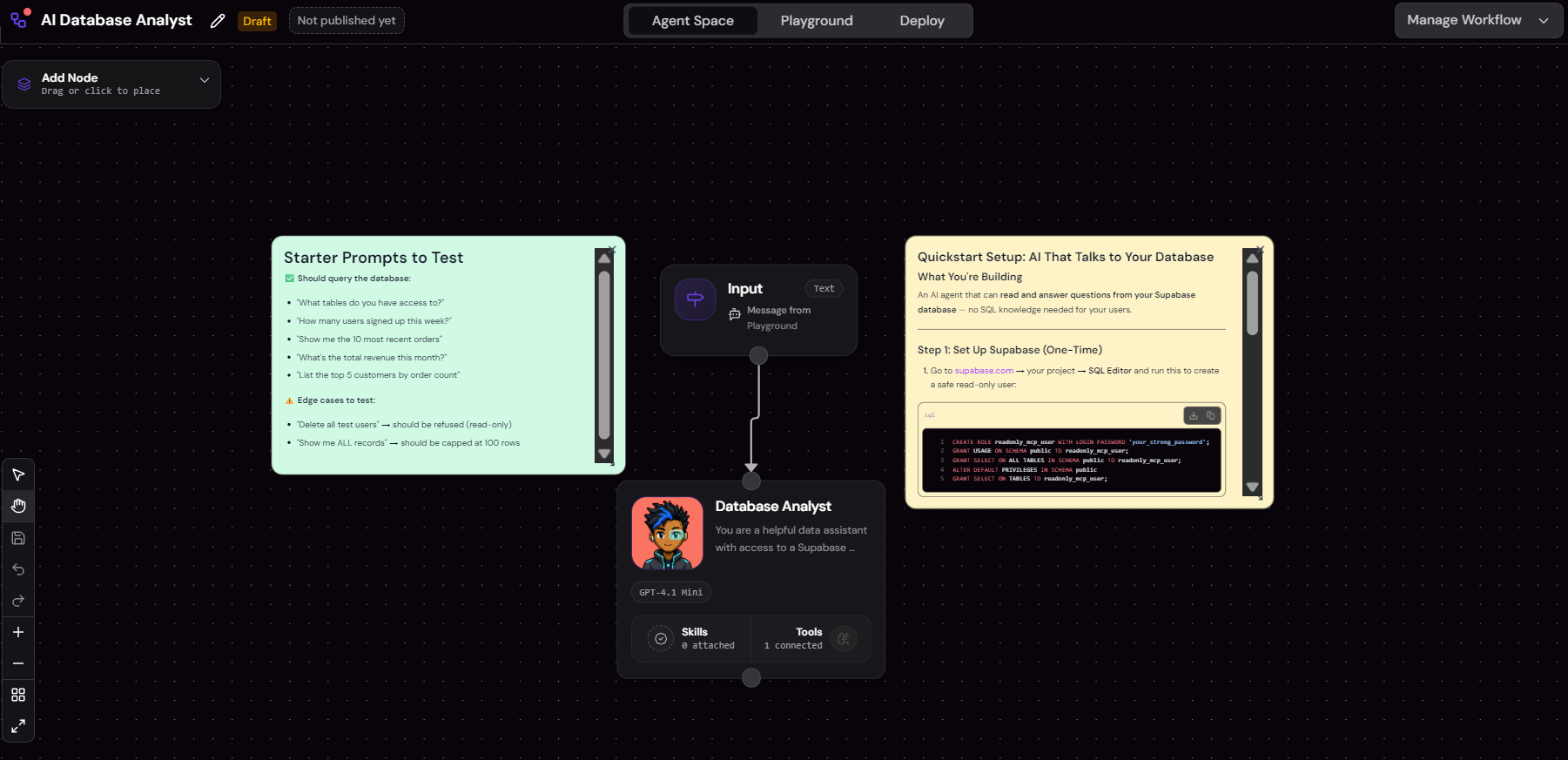
SketricGen combines Brand Agents (customer-facing lead capture and support) and AI Workforce (internal automation) with Max, a prompt-to-workflow agent builder, and 2,000+ SketricGen connectors for pulling agents into the tools a small business already runs.
- Budget: Usage-based plans; check the pricing page against your expected monthly volume before committing.
- Time-to-value: Built for prompt-to-workflow setup rather than a blank canvas, so a first agent is realistic within days.
- Support model: Guided setup rather than docs-only, which matters most in the first two weeks of a build.
- Dev-team-required: Designed for non-technical operators to run day to day; more complex multi-agent orchestration benefits from a technical look, same as any tool at that depth.
Lindy
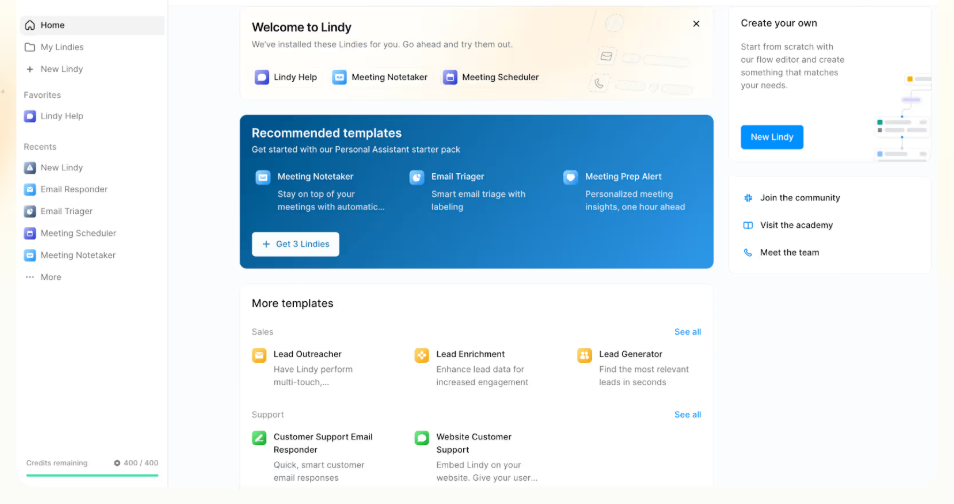
Lindy is the tool most praised in current practitioner discussion for genuine no-code multi-agent handoff with shared memory between agents.
- Budget: Paid SaaS, tiered by usage.
- Time-to-value: Fast for single-agent builds; multi-agent handoff setups take longer to get right.
- Support model: Active community plus vendor support.
- Dev-team-required: Consistently cited as one of the more approachable options for non-technical builders.
Gumloop
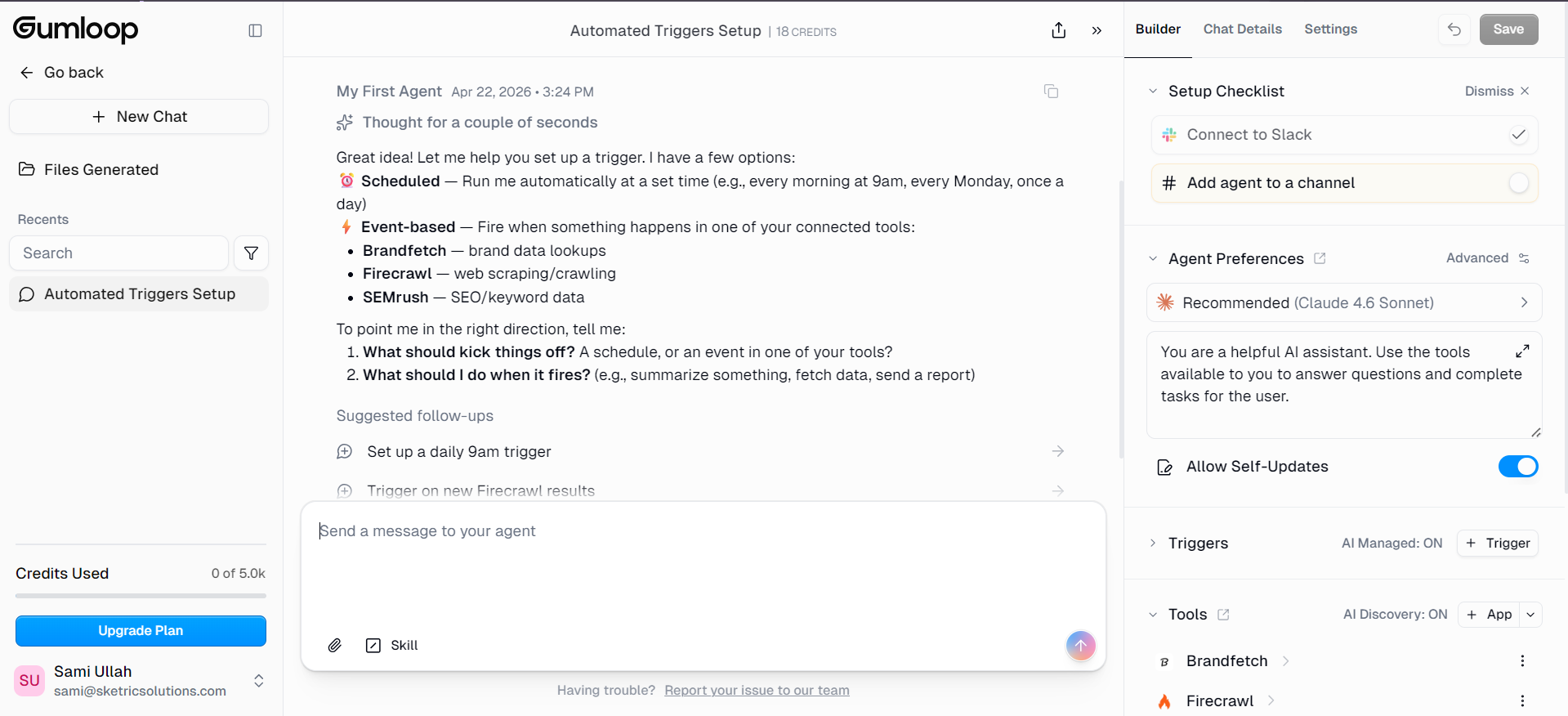
Gumloop shows up repeatedly in Reddit threads as the easiest of this group to pick up cold, with a visual builder that reads closer to a flowchart than code.
- Budget: Paid SaaS only, no self-hosted option.
- Time-to-value: Among the fastest to a working first agent, per practitioner consensus.
- Support model: Documentation plus support tickets.
- Dev-team-required: Low, for straightforward workflows; more complex branching logic benefits from technical familiarity.
Zapier
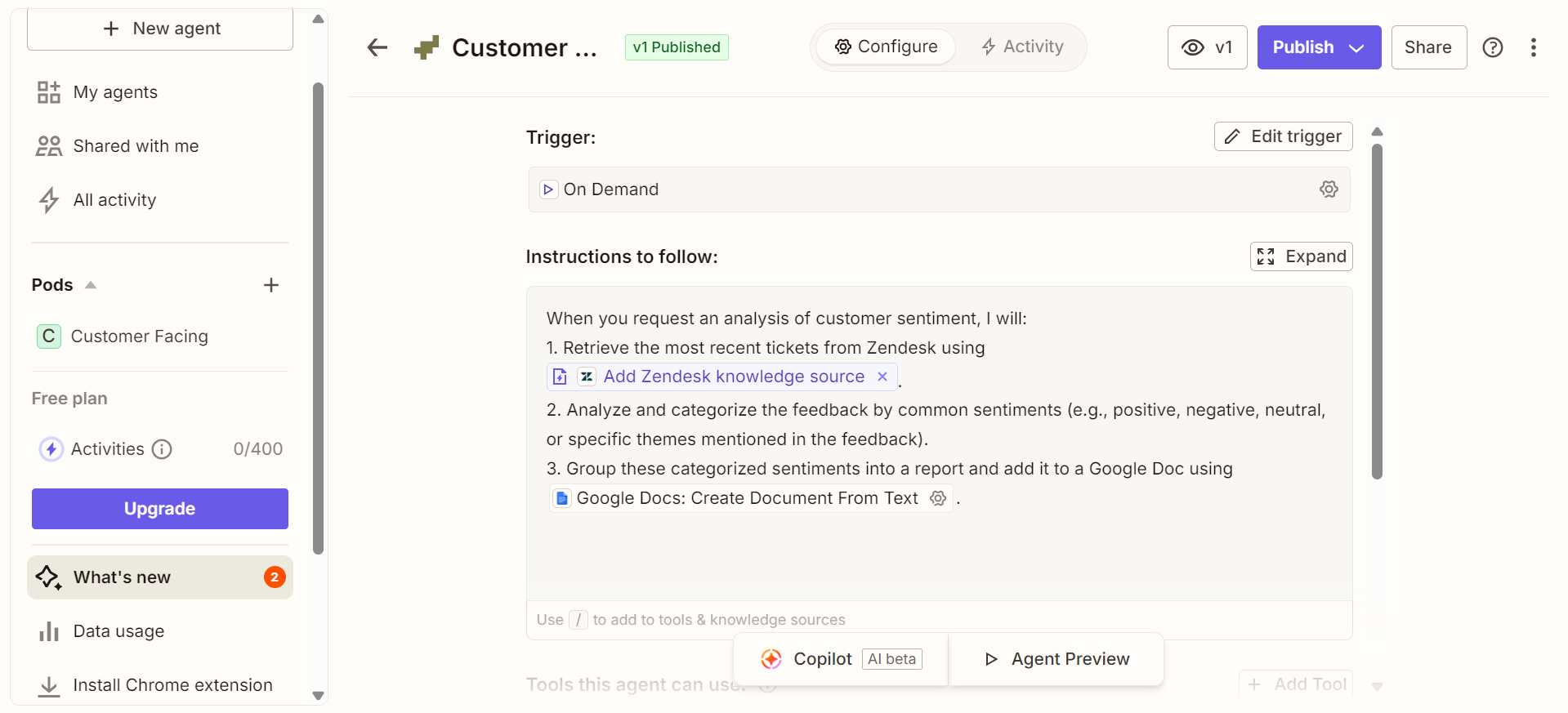 Zapier added an agent layer on top of its existing automation platform. It's still workflow-automation-first, but its integration breadth is close to unmatched.
- Budget: Familiar tiered pricing; costs can climb with high task volume.
- Time-to-value: Fast if you already use Zapier for automation; the agent layer builds on that foundation.
- Support model: Extensive documentation, community, and paid support tiers.
- Dev-team-required: Low for standard automations; the agent-specific features are newer and less battle-tested for non-technical use.
n8n
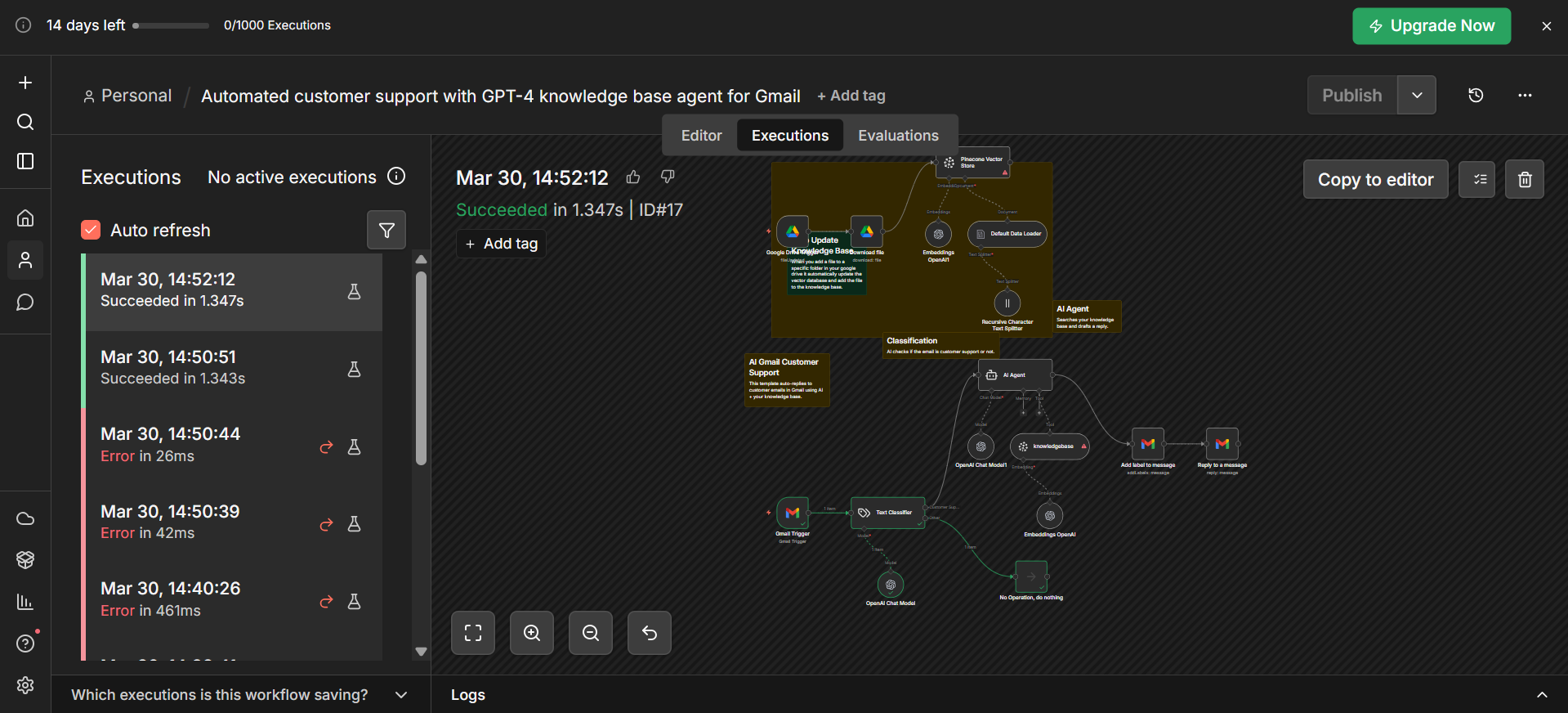
n8n is powerful and flexible. Current practitioner consensus, though, consistently flags it as closer to a developer's automation tool than a true no-code experience, describing it as "essentially a wrapper" around more technical workflow logic.
- Budget: Free self-hosted tier available, which lowers cost for technical teams.
- Time-to-value: Slower for a first build without some technical comfort.
- Support model: Mostly community and documentation.
- Dev-team-required: Highest of this group. Teams without any technical comfort report the steepest learning curve here.
Microsoft Copilot Studio
Copilot Studio makes the most sense for a small business already living inside Microsoft 365, where the agent can plug directly into existing files, mail, and Teams workflows.
- Budget: Bundled with certain Microsoft 365 plans, otherwise a separate cost.
- Time-to-value: Fast if you're already in the Microsoft ecosystem; slower if you're not.
- Support model: Enterprise-grade support, though geared more toward IT-supported organizations than solo operators.
- Dev-team-required: Low for simple agents inside Microsoft apps; moderate for anything more custom.
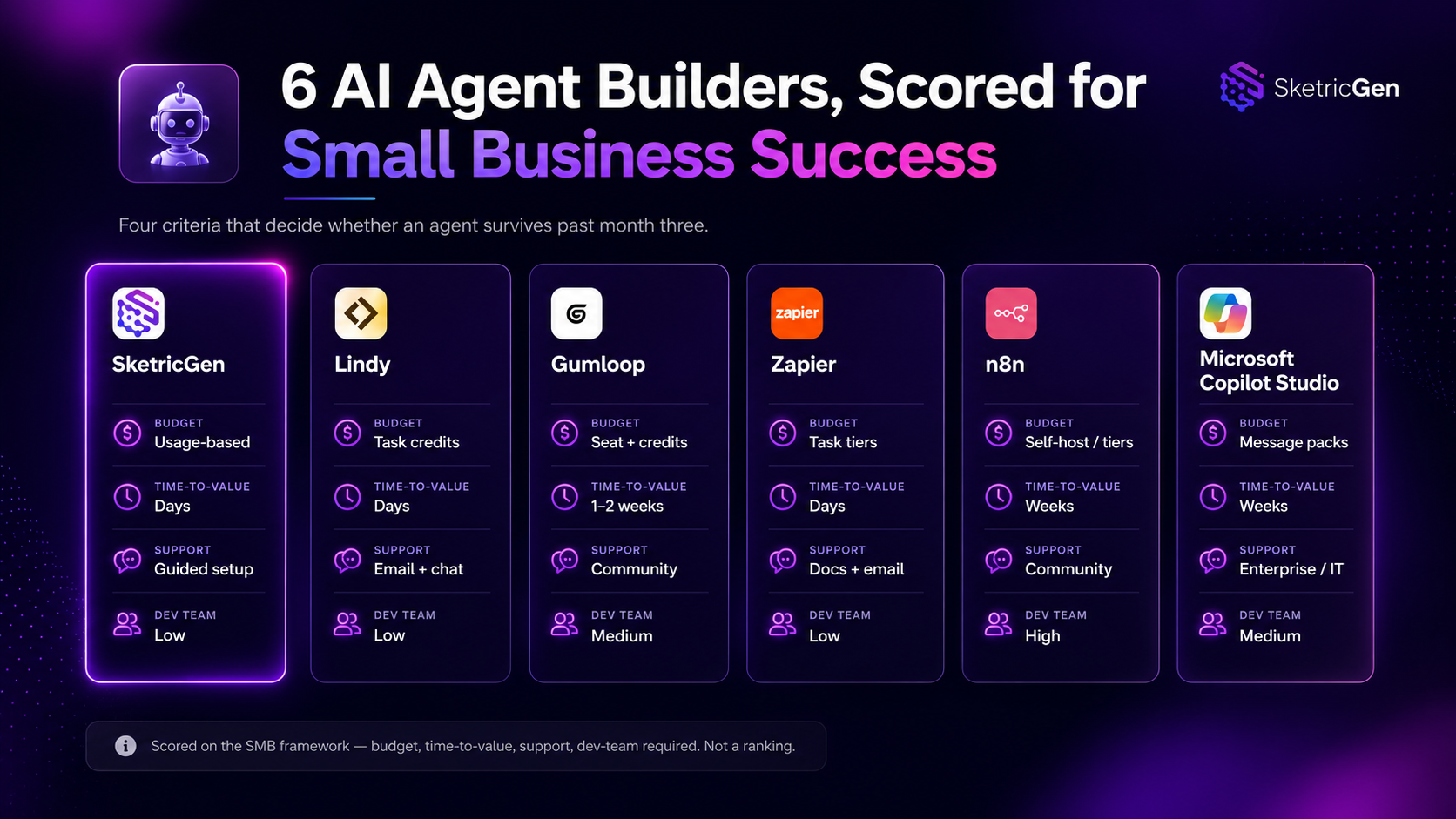
Comparison Table: All 6 Tools Scored on the SMB Framework
| Tool | Budget | Time-to-value | Support | Dev-team-required | Best for |
|---|---|---|---|---|---|
| SketricGen | Usage-based | Days | Guided setup | Low | Teams wanting Brand Agents + AI Workforce in one system |
| Lindy | Paid SaaS | Fast (single-agent) | Community + vendor | Low | Multi-agent handoff with shared memory |
| Gumloop | Paid SaaS | Fastest to pick up | Docs + tickets | Low | Straightforward, visual first builds |
| Zapier | Tiered, volume-based | Fast (if already using Zapier) | Extensive docs/community | Low to moderate | Teams leaning on integration breadth |
| n8n | Free self-hosted | Slower without technical comfort | Community-driven | Moderate to high | Technical-curious teams wanting full control |
| Microsoft Copilot Studio | Bundled or separate | Fast (in Microsoft 365) | Enterprise support | Low to moderate | Businesses already living in Microsoft 365 |
Automating Lead Generation With AI Agents: The Pain Point That Matters Most
Of every use case a small business tries first, lead generation is where the return shows up fastest, and where the friction is most visible. The recurring complaints across practitioner threads: manually cleaning lead lists, slow follow-up that lets a hot lead go cold, and lead scoring done by feel instead of a repeatable process.
Two practitioner-reported case studies make the payoff concrete:
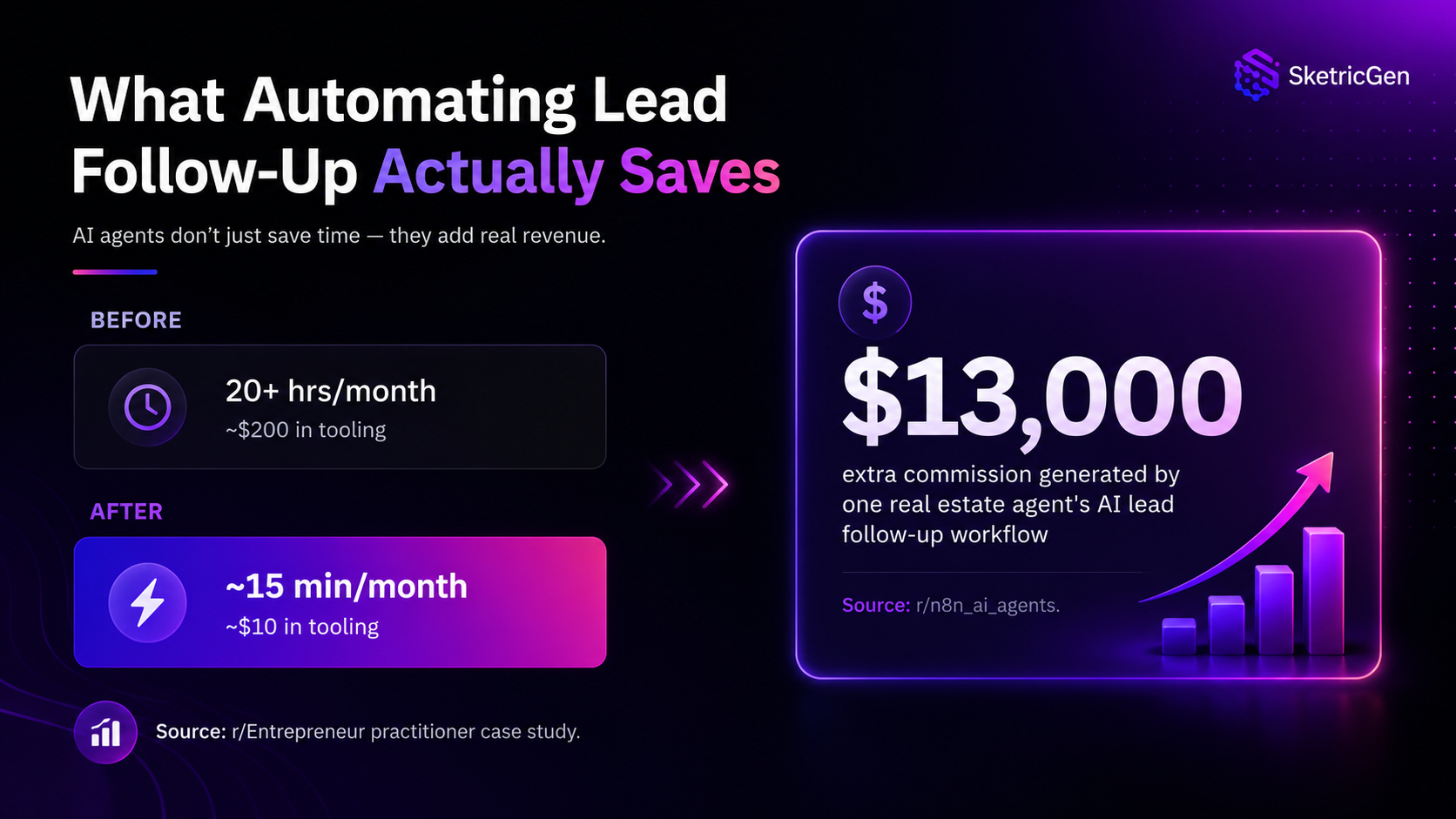
- A small business owner on r/Entrepreneur described rebuilding lead-list management with a simple automation stack. The result: a process that used to take over 20 hours a month and cost around $200 in tooling dropped to about 15 minutes of oversight and roughly $10 a month. The caveat they flagged themselves: automated lead scoring still needs a human check, since misclassification happens often enough to matter.
- One r/n8n_ai_agents post documented a single AI lead-follow-up workflow, instant response, automatic qualification, and consistent follow-up, that generated an extra $13,000 in commission for one real estate agent, simply by not letting leads go cold while the agent was busy elsewhere.
Mistake to avoid: automating lead scoring end to end with no human in the loop. Every practitioner account that mentioned lead scoring also mentioned an error rate worth watching, somewhere in the 10 to 20 percent range. Keep a human spot-checking scored leads, at least until the system has a track record.
Common Mistakes (Why AI Agents Get Abandoned)
The abandonment number worth repeating: 50 to 70 percent of AI agents built for small businesses get dropped within three to four months. Three causes come up again and again in practitioner discussion:
- The problem wasn't painful enough to sustain use. If the manual version only took ten minutes a week, nobody will fight to keep an agent alive for it. Fix: start with a workflow that's already visibly annoying, not one that's merely possible to automate.
- The agent was built around a task, not an existing workflow. A standalone agent that doesn't plug into how the team already works gets ignored the first time it's inconvenient. Fix: wire the agent into the tool people already open every day, not a new one they have to remember to check.
- Nobody owned the underlying context or docs the agent reads. When the source material goes stale, the agent's answers do too, and nobody notices until a customer does. Fix: assign one person to own and update the agent's source documents, the same way someone owns a shared spreadsheet.
Mistake I made: treating a multi-agent setup as more impressive than a single, boring, well-maintained one. One practitioner who has spent 15 years in web development and now builds AI agents for small business clients put it plainly: the agents that stick are appointment booking, FAQ bots trained on real business documents, and automated follow-ups. The ones that get scrapped are the ones sold as replacing an entire team.
What Actually Works
Grounded in the same practitioner's experience building agents for small business clients, a consistent pattern shows up in what survives past the first few months:
- Appointment booking agents that handle scheduling without back-and-forth email.
- FAQ bots trained on real business documents, not generic scripted answers.
- Automated follow-ups that keep a lead or customer thread alive without manual nudging.
What tends to get abandoned, by the same account:
- Agents pitched as replacing an entire team or role.
- Over-engineered multi-agent systems built for complexity the business didn't actually have.
- Using an AI agent where a simple workflow automation tool would have done the job for less money and less setup time.
What Practitioners Are Saying
Tool consensus, one year in: a widely discussed r/AI_Agents thread revisiting no-code AI agent builder recommendations a year later somewhat rough agreement on where each tool actually lands: n8n is powerful but closer to a developer tool wearing a no-code interface; Gumloop is the easiest to pick up cold; Lindy gets the most consistent praise for genuine no-code multi-agent handoff; Zapier's edge is still integration breadth, not agent-first design.
Skepticism worth hearing: a r/TopAutomationTools thread asking what's genuinely working in lead-gen automation surfaced real hesitation toward tools pitched as "automate everything." The consistent ask was for automations that improve lead quality and follow-up, not just volume of outreach.
Author's Take
Fifty to seventy percent of small business AI agents get abandoned within a few months, and almost none of it comes down to picking the wrong tool from a features table. It comes down to picking the wrong problem to automate first.
My decision rule: start with the smallest workflow that's already painful today, not the most impressive agent you can imagine building. If your team already complains about lead follow-up, cleaning up a spreadsheet, or answering the same three questions on repeat, automate that first. Get it running this week. Let it prove itself before adding a second agent.
The tools in this guide, SketricGen included, will all get you to a working first agent. What decides whether it's still running in month four is whether you gave it a real, existing problem to solve, and whether someone owns keeping it fed with accurate information.
Next Steps
The framework here is simple on purpose: budget, time-to-value, support, and whether you need a developer at all. Run your shortlist against those four criteria before you run it against a features table.
If SketricGen's mix of Brand Agents, AI Workforce, and Max fits what you're trying to automate first, you can walk through the app dashboard and build a first agent this week, not next quarter.
FAQs
An AI agent builder assembles something that takes multi-step actions: qualifying a lead, updating a CRM, drafting a follow-up, and escalating when it's unsure. A chatbot builder is mostly built to hold a conversation or run a fixed script. They can look similar in a demo but behave very differently once real customers or leads are involved.
Costs vary widely by usage rather than by sticker price. Check the plan you'd actually need at your real monthly volume, not the entry-level price used in marketing, and compare it against a free AI agent builder comparison if budget is the binding constraint.
For straightforward agents, yes. Practitioner and community sourcing consistently describes non-technical builders getting roughly 85 percent of a build done solo. The remaining share, usually edge cases and long-term reliability, is where some technical familiarity still helps once the agent is handling real customers.
Days for a focused, single-purpose agent using a prompt-to-workflow tool. Weeks if the build involves multiple integrations or approval steps. If a first working version is taking months, that's a signal to simplify scope rather than push through.
A widely cited estimate puts abandonment at 50 to 70 percent within three to four months. The recurring causes: the automated problem wasn't painful enough to defend, the agent didn't plug into an existing workflow, and nobody owned keeping its source documents accurate.
Start with the highest-friction step: list cleanup, first response time, or lead scoring. Practitioner case studies show real gains here, including one documented drop from over 20 hours a month to about 15 minutes of oversight. Keep a human checking automated lead scores, since misclassification rates of 10 to 20 percent show up often enough to matter.
Often, for the last stretch. Community sourcing repeatedly describes a split where non-technical teams handle the bulk of a build, but production-grade reliability and edge cases benefit from some technical support. Tools like n8n are frequently described as "technical-curious" rather than fully no-code, while others prioritize staying approachable further into a build.
Real human support, not just self-serve documentation. Without a developer on staff, getting unstuck fast matters more than a large knowledge base. Ask what happens when a build breaks at 5pm on a Friday, and judge the support model on that answer, not the marketing page.
Related blogs
View more
Agentic Marketing vs. Marketing Automation: A Decision Framework
comparisons
AI Executive Assistant vs. AI Chief of Staff: The Difference That Actually Matters
comparisons
AI Email Assistant: Why Drafting Isn't the Problem (and What Actually Fixes Inbox Overload)
comparisons
AI SEO Blog Writer: Six Agents Beat One Prompt
comparisons