AI Lead Qualification Chatbot: How to Qualify Leads Automatically (While You Sleep)
Built and tested with SketricGen Brand Agents. Used in live qualification flows, not just in theory.
Who This Is For
- Founders and sales managers who get inbound leads but find too many are a bad fit
- Marketing operators looking to replace or upgrade the contact form on their site
- Anyone whose sales team is still manually chasing and screening every new inquiry
Key Points
- Lead capture and lead qualification are two different jobs. Most chatbots only do the first.
- The right qualification chatbot asks 4-5 targeted questions and routes leads by fit automatically.
- The average B2B response time is 42 hours. A qualification chatbot removes that gap entirely.
- Poorly configured chatbots produce lower lead quality than a static form. Well-built ones cut SDR workload by up to 50%.
- Define what "qualified" means for your business before building anything. Without that criteria, the chatbot has nothing to score against.
Lead Capture vs. Lead Qualification: Not the Same Job
These terms get used interchangeably. They shouldn't.
Lead capture collects contact information. Name, email, maybe a phone number. A form does this. A basic chatbot does this. It's the start of a conversation, not a filter.
Lead qualification determines whether that person is worth pursuing. Budget fit, timeline, decision authority, problem urgency. A qualification chatbot asks targeted questions, scores the answers, and routes the lead accordingly.
Here's the practical difference:
| Capture Chatbot | Qualification Chatbot | |
|---|---|---|
| Primary job | Collect contact info | Assess fit and intent |
| Output | Email in your inbox | Scored lead routed to the right action |
| Sales team experience | Still has to screen every lead | Only talks to pre-filtered prospects |
| Effort after handoff | High — manual qualification still needed | Low — chatbot handled the triage |
| Best for | Building a list | Improving pipeline quality |
If your sales team spends hours qualifying leads after a chatbot captures them, you have a capture chatbot. Not a qualification one.
What "Qualified" Actually Means (By Business Type)
Before writing a single question, define what a qualified lead looks like for your business.
This is where most setups fail. Teams deploy a chatbot, add some BANT questions from a template, and wonder why lead quality didn't improve. The chatbot is scoring against someone else's definition of good.
A simple framework:
| Business Type | What "Qualified" Means | Disqualifying Signal |
|---|---|---|
| B2B SaaS | Company 10+ employees, evaluating in under 90 days, budget owner in conversation | Freelancer, student, "just researching," no decision-making authority |
| Service / agency | Budget above project minimum, specific problem, decision maker | Looking for cheapest option, vague brief, no timeline |
| Professional services | Problem matches your practice area, serious timeline | Shopping for free advice, irrelevant industry |
| E-commerce / product | High-intent buyer or bulk inquiry | Casual browser, coupon hunting |
Write yours down before you build. Three disqualifying conditions are enough to start.
On r/LeadGeneration, a late-2025 thread noted that chatbots started producing noticeably better leads only after the team rewrote their questions around their actual customer profile rather than borrowed BANT templates. That rewrite took under an hour. The ICP work before it took longer.
The 5 Questions Your Qualification Chatbot Should Ask
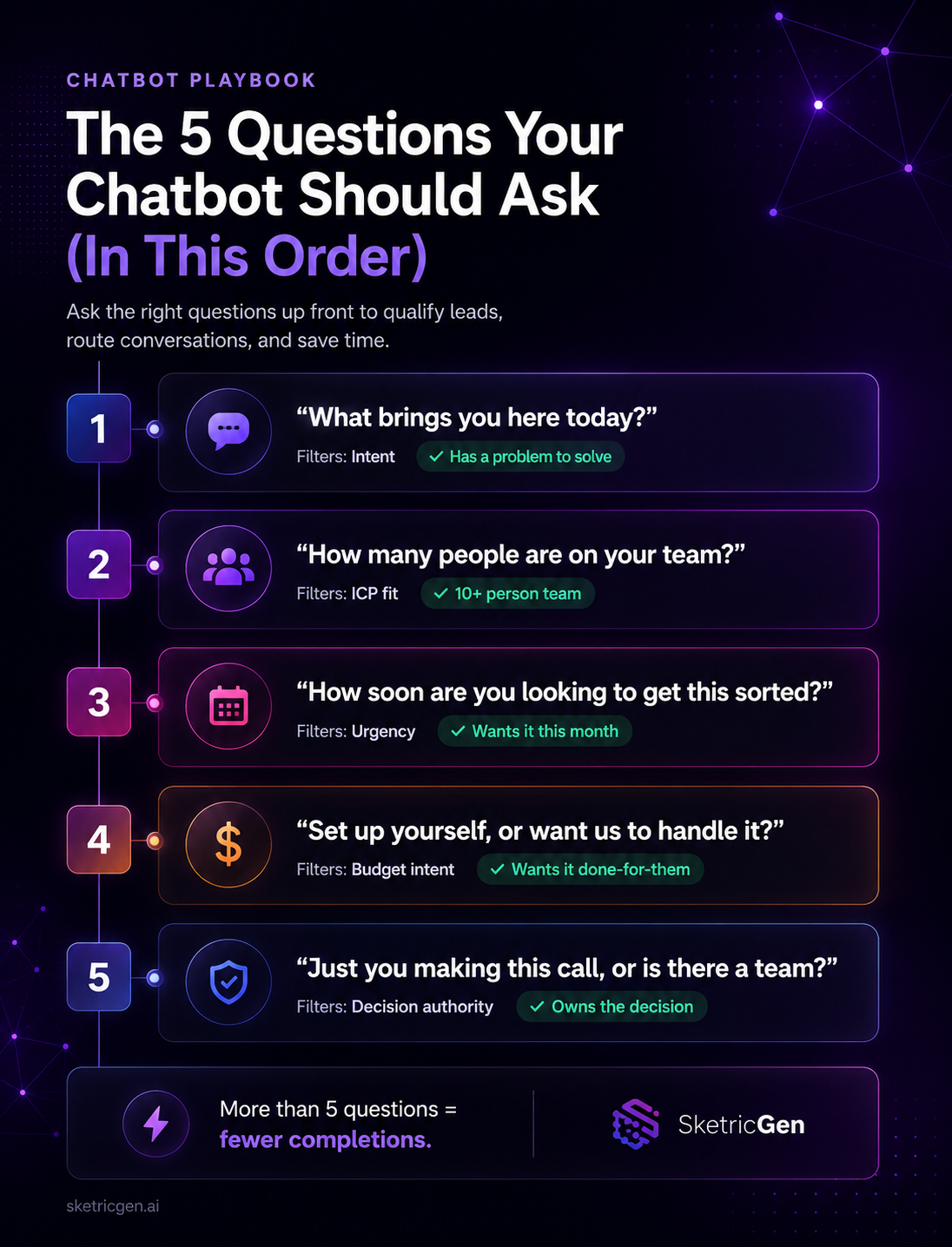
Three to four high-signal questions are typically enough to produce reliable qualification data. More than five and you start losing completions.
Here are the five that consistently matter, in the right order:
| # | Question | What It Filters | Good Answer Signal |
|---|---|---|---|
| 1 | "What brings you here today?" | Intent: separates buyers from browsers | Specific pain point or project in mind |
| 2 | "How many people are on your team?" or "What type of business do you run?" | ICP fit: filters wrong-size or wrong-type | Matches your target customer profile |
| 3 | "How soon are you looking to get this sorted?" | Urgency: separates researchers from buyers | "This month" or "next quarter" |
| 4 | "Are you looking for something to set up yourself, or would you want us to handle it?" | Budget proxy: no awkward direct ask | "Done for you" signals higher-ticket intent |
| 5 | "Is it just you making this call, or is there a team involved?" | Decision authority | "Just me" often means faster close; "team" flags a longer deal |
Order matters. Start with intent, move to fit, then urgency, then budget proxy, then authority. Asking about budget before you've established why someone is there is the fastest way to end the conversation early.
Practitioner insight: Lindy.ai's 2026 chatbot roundup confirms the same pattern: "three or four high-signal questions around intent, company size, timeline, and budget are typically enough to produce reliable qualification data." More questions don't produce better leads. They produce fewer completions.
Simple Lead Scoring: Hot, Warm, Cold
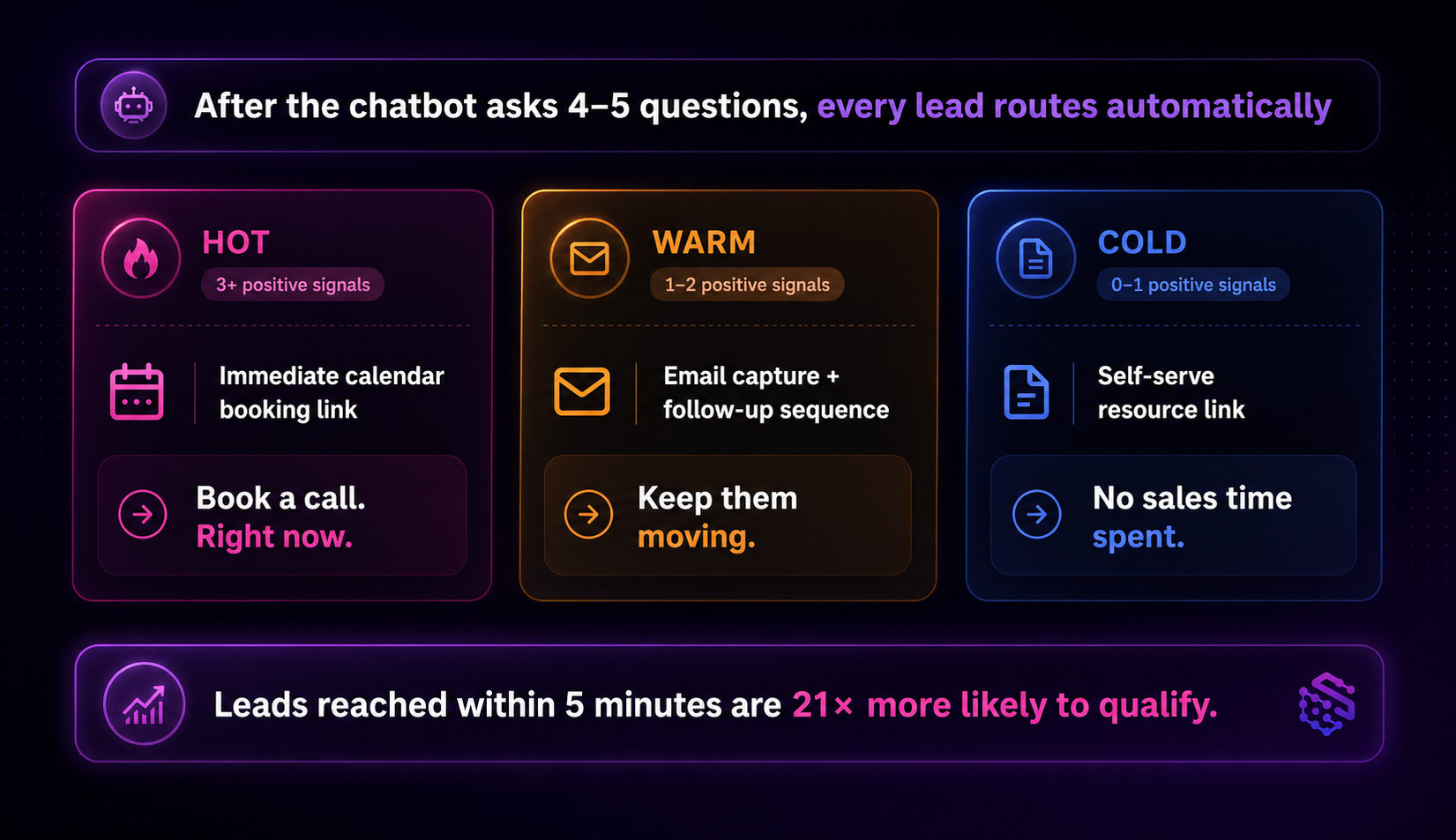
Once the chatbot has the answers, it needs to act on them. A simple three-tier model covers most use cases:
| Tier | Answer Pattern | Chatbot Action |
|---|---|---|
| HOT | 3+ positive signals: clear intent, ICP fit, urgent timeline | Immediate calendar link — book a call now |
| WARM | 1-2 positive signals: some fit, not yet urgent | Email capture + tailored follow-up sequence |
| COLD | 0-1 positive signals: wrong fit, vague intent, no timeline | Self-serve link (docs, pricing) — no sales time spent |
A HOT lead at 2am should be booking a call. Not waiting until Monday morning.
Leads contacted within 5 minutes are 21x more likely to qualify than those reached after 30 minutes. Automated routing closes that gap completely.
Pro tip: Keep scoring binary at first. HOT or not-HOT. "Warm" is useful once you have volume data, but early on it becomes where good leads stall and nobody follows up. Set a clear threshold: three positive signals triggers the booking link. Adjust after 50 leads.
Why Most AI Chatbots Don't Actually Improve Lead Quality
A lot of businesses have tried this and been disappointed. Here are the five reasons it doesn't work.
1. Generic BANT questions used out of the box. "What's your budget?" asked cold causes drop-off. BANT is a framework for sales reps in a live conversation, not a chatbot script to copy directly. Adapt the questions to sound like your business.
2. Too many questions. Completion rates drop sharply past five questions — this is consistent across chatbot UX research and practitioner experience. Four is the sweet spot. Every extra question costs you a percentage of completions.
3. No routing logic after capture. The chatbot collects answers but doesn't act on them. Every lead lands in the same inbox regardless of score. The sales team still triages manually. This is a capture chatbot with extra steps.
4. Qualification criteria were never defined. The chatbot has no scoring rules, so everything looks like a warm lead. Sales teams get every submission and gain nothing. Three disqualifying conditions, written down before you build, prevent this entirely.
5. Using the chatbot to fix a vague ICP. A chatbot cannot fix a product unclear about who it's for. If your ICP is "anyone who might need this," the chatbot will qualify everyone who might need this. Sharpen the ICP first, then build the chatbot.
What practitioners are saying: A thread on r/MarketingAutomation about AI chatbot qualification (which ranks in Google's Perspectives section for this topic) landed on a consistent finding: the chatbot underperformed because nobody had written down what a good lead looked like before building it. The tool wasn't the issue. The missing brief was.
How to Set Up a Lead Qualification Chatbot (No Code)
Five steps. No code required.
Step 1: Define your ICP and three disqualifying conditions. Write them down. "We don't want freelancers, students, or anyone without a clear timeline and budget" is a solid start.
Step 2: Start from a pre-built template. SketricGen's Brand Agent templates include qualification flows you can customise to your business. Pick the closest match and adjust from there.
Step 3: Set your 4-5 qualification questions with branching logic. Use the framework above. Write questions in your own voice. Add conditional branches so the follow-up adapts based on what they answered.
Step 4: Map scores to actions. HOT (3+ signals) triggers a calendar booking link. WARM (1-2 signals) triggers email capture and a follow-up sequence. COLD sends a self-serve resource page.
Step 5: Connect your CRM or inbox, then test with 10 real leads. The first version won't be perfect. After 10 leads you'll see the pattern: usually one question that confuses people or one answer that's scoring wrong.
A basic qualification flow goes live in under an hour from the SketricGen dashboard. If you want the full technical setup with state machines, email validation, and structured CRM outputs, the AI agent lead generation playbook for 2026 covers all of that.
Running qualification over WhatsApp? The WhatsApp AI agent guide for qualifying leads is the right starting point for that channel.
Not sure whether you need an AI agent or a chatbot? Read AI agent vs. chatbot: what's actually different before you decide.
Author Take - Sam
"The qualification chatbots that actually work aren't the most sophisticated. They're the ones built by operators who spent 30 minutes defining what a bad lead looks like before they wrote a single question.
We've seen small service businesses cut their sales call prep time by more than half. Not by adding complexity, but by being specific about three things they don't want to spend time on. The chatbot enforces that consistently, at every hour of the day."
Next Steps
A lead qualification chatbot works when it's built against a clear definition of what you're qualifying for. Not borrowed templates. Not generic BANT. Your criteria, your questions, your routing.
- Start building: Explore SketricGen qualification templates — live in under an hour
- Full step-by-step build: How to build an AI sales assistant for lead qualification
- For WhatsApp qualification: WhatsApp AI agent guide for qualifying leads
- Compare tools first: Best AI chatbot for website in 2026
- New to website chatbots: AI chatbot for small business websites: how it works
- Try it free: Open SketricGen
FAQs
A lead qualification chatbot is a conversational AI flow on your website or messaging channel that asks targeted questions to assess whether a visitor is a good fit for your product or service. Unlike a contact form, it scores answers in real time and routes leads automatically. Strong fits get a booking link. Poor fits get a self-serve resource. No human triage needed.
They ask pre-set questions, evaluate answers against your defined criteria (ICP fit, timeline, budget intent, decision authority), assign a score, and trigger the right next action. HOT leads book immediately. WARM leads enter a nurture sequence. COLD leads receive a self-serve resource. The chatbot runs this consistently, 24 hours a day.
Four to five. Completion rates drop sharply past five questions — this is consistent across chatbot and form UX studies. Start with four: intent, ICP fit, timeline, and one budget-proxy question. Add a fifth (decision authority) only if that distinction matters to your sales process.
For first-pass triage, yes. A well-configured chatbot handles the initial filter consistently, without the gaps or delays of manual screening. Human judgment is still needed for complex deals, edge cases, and anything that requires reading between the lines. Think of the chatbot as your first-round filter, not your entire sales process.
The best one is the one you configure against a clear ICP. Platform choice matters less than having well-defined qualification criteria and a tight 4-5 question flow. SketricGen's Brand Agents are built specifically for this: deploy from a template, customise to your business, connect your calendar or CRM without code. See pricing here.
Related blogs
View more
AI Agents for Small Business: What Actually Works at 1-20 People
use cases
Website Lead Capture: How to Turn Silent Visitors Into Leads With an AI Chatbot
use cases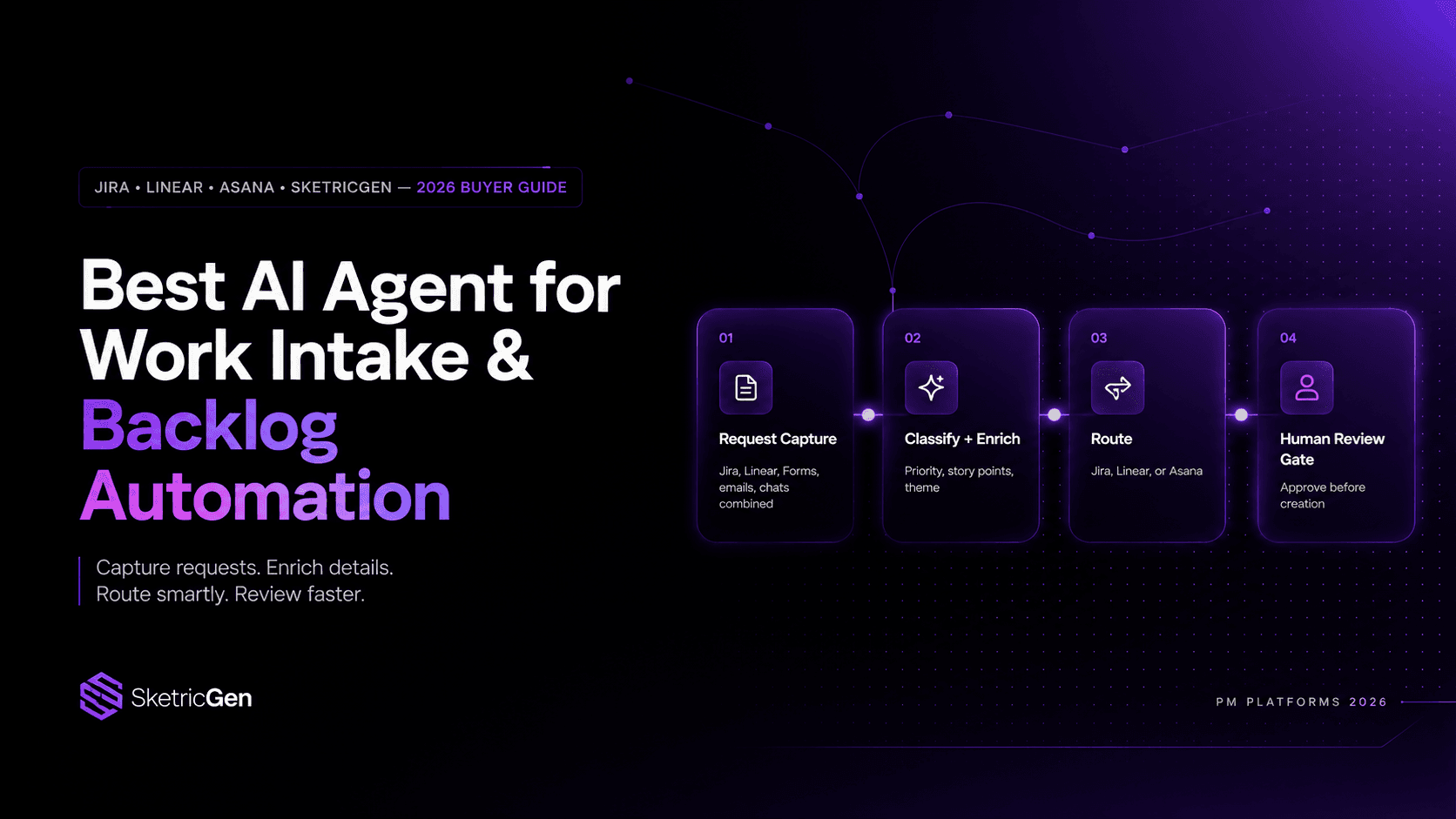
Best AI Agent for Work Intake & Backlog Automation in PM Platforms (2026)
use cases
How to Reduce Customer Churn with AI: Stop Losing Customers
use cases