Best AI-Powered Portfolio Project Management (PPM) Software in 2026
Tested the AI capabilities of 11 tools — here's which ones are actually agentic.
Who this is for: PMO leads and project managers running 5 or more concurrent projects. Engineering VPs and Ops Directors evaluating a PPM stack upgrade. Anyone currently managing their project portfolio with a combination of a heavy enterprise tool plus an Excel tracker nobody trusts.
Key Points
- "AI-powered PPM" is on every tool's homepage. What varies is whether AI watches your portfolio proactively or just answers questions when you ask.
- SketricGen gives you the most control: build a fully custom AI agent that connects your existing PPM stack to Slack, your CRM, client dashboards, and more — no code required.
- PPM Express and Wrike have crossed into genuinely agentic territory among off-the-shelf tools: they monitor, detect, and act without a prompt.
- For most mid-market teams, ClickUp AI or Asana AI delivers the right balance of agent capability without enterprise pricing or implementation overhead.
- The biggest time drain AI solves is status reporting. PPM Express reports 99 hours saved per PM per year on monitoring and status tasks.
- If the tool doesn't integrate with how your team already works (Jira, Slack, MS 365, Google Workspace), the AI layer won't stick — no matter how good the demos look.
At-a-Glance: 11 Best AI-Powered PPM Tools in 2026
| Tool | Best For | AI Level | Pricing (starts) |
|---|---|---|---|
| SketricGen | Custom AI agents for any PPM stack | Fully Agentic | $17/mo |
| PPM Express | Microsoft 365 portfolios | Fully Agentic | $25/user/mo |
| Wrike | Enterprise governance | Fully Agentic | $24.80/user/mo |
| ClickUp AI | Flexible mid-market teams | Partial Agency | $12 + $7 AI/user/mo |
| Asana AI | Cross-functional visibility | Partial Agency | $24.99/user/mo |
| Celoxis | Financial control + PPM | Partial Agency | $22.50/user/mo |
| Monday.com | Visual / creative teams | AI Feature Layer | $19/user/mo |
| Epicflow | Engineering + R&D | AI Feature Layer | Contact sales |
| Businessmap | Strategy-to-execution | AI Feature Layer | Contact sales |
| Smartsheet | Data-heavy operations | AI Feature Layer | $19/user/mo |
| Dragonboat | Product portfolio | AI Feature Layer | $39/user/mo |
Why PPM Teams Are Moving to AI Agents in 2026
Here is the pattern that plays out in almost every PMO running more than five projects at once.
Monday morning: pull status from Jira. Pull resource data from Smartsheet. Open the project tracker someone built in Excel three years ago. Consolidate everything. Write the executive summary. Send the deck by 9am. By Thursday, half the data is stale and the cycle starts again.
A 2023 KPMG Technology Survey found that 51% of 400 US technology executives saw no improvement in performance or profitability from their digital transformation investments over the preceding two years. This is partly a tooling problem. Buying a new PPM platform and running the same manual processes inside it doesn't change outcomes.
What changes outcomes is removing the manual layer entirely. The Resource Management Institute found that effective resource allocation improves project success rates by 15% and reduces project costs by 10%. The catch: "effective" means real-time visibility into who is overallocated across which projects, before the conflict becomes a crisis — not a spreadsheet reconciled once a week.
This is where AI agents change the math. TechRadar's 2026 enterprise AI report notes that nearly half of enterprise apps are expected to include task-specific AI agents within a year. In PPM, that shift is already visible in a small number of tools that have moved past AI assistance into genuine agency.
The Two-Tier Reality: AI-Assisted vs. AI-Agentic
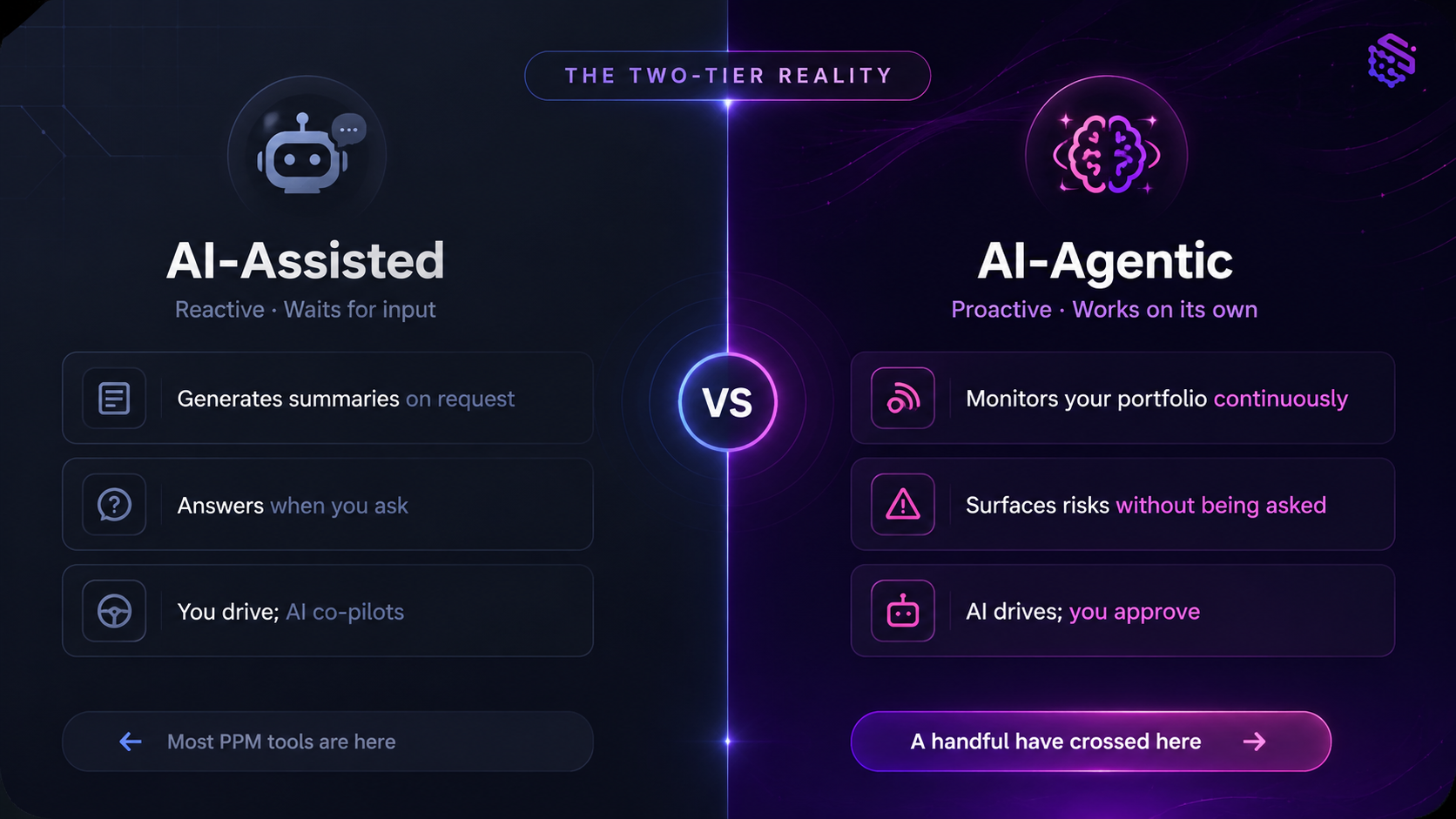 Before comparing tools, it helps to define the gap:
- AI-Assisted: The tool generates summaries, autocompletes tasks, and answers questions when you ask. You drive; AI co-pilots.
- AI-Agentic: The tool monitors your portfolio continuously, detects anomalies, surfaces risks and resource conflicts proactively, and triggers multi-step workflows without a prompt. AI drives; you approve.
Most tools on the market today sit in the first bucket. A handful have crossed into the second. This review flags which is which for each tool.
What practitioners are saying: A project manager in r/projectmanagement described their weekly routine: reconciling status updates across Jira, Smartsheet, and a manual Excel tracker, then rewriting everything into a PowerPoint deck for the exec team. "By the time the deck is done, the data is already stale." This pattern is nearly universal across PMOs managing multiple projects. The AI tools that stick are the ones that push alerts to you — not the ones waiting for you to ask a question.
The 11 Best AI-Powered PPM Tools in 2026
1. SketricGen — Best for Building a Custom PPM Agent
Most PPM tools give you a fixed product and ask you to fit your workflow into it. SketricGen flips that. You build the AI agent your portfolio actually needs — one that connects your existing tools, speaks your team's language, and takes action across your whole stack, not just inside a single platform.
What the AI agents do:
- Monitor project status across any connected tool (Jira, Asana, ClickUp, Notion, and more) and push alerts to Slack or email when something goes red
- Trigger automated cross-team handoffs when a project phase closes
- Send client-facing status updates on a schedule without manual input
- Connect PPM data to your CRM, invoicing, or reporting tools via no-code workflows
- Build fully custom escalation logic — based on your thresholds, your naming conventions, your team structure
The difference from every other tool on this list: SketricGen doesn't come with a predefined PPM model you have to learn. You define what "portfolio health" means for your organization, and the agent works to that definition.
AI Level: Fully Agentic (custom-configured) Pricing: See SketricGen pricing Best for: Teams whose PPM workflow spans multiple tools and needs an AI agent that ties them together — or teams that have tried off-the-shelf tools and found them too rigid
Watch out: SketricGen is a builder tool, not a turnkey PPM product. If you want a pre-built portfolio dashboard out of the box, start with PPM Express or Asana. If you want an agent that does exactly what your workflow needs — and nothing you don't — SketricGen is built for that.
2. PPM Express — Best for Microsoft 365 Teams
PPM Express is built specifically for portfolio-level management, not adapted from a general task manager. Its AI Agents monitor project health continuously — flagging late milestones, overallocated resources, and budget overruns in real time, without waiting for your weekly check-in.
What the AI agents actually do:
- Monitor project schedules, budgets, risks, and resource allocations autonomously
- Surface alerts when thresholds are crossed (not when you ask)
- Generate stakeholder-ready status summaries from live data
- Integrate with Claude Desktop via Model Context Protocol (MCP) for natural language portfolio queries
- Connect to Microsoft 365 Copilot for conversational reporting
The numbers back the capability claim: PPM Express reports 99 hours saved per PM per year on monitoring and status tasks. One customer reports 60% time reduction on reporting and resource planning.
AI Level: Fully Agentic Pricing: Starts at $25/user/month — see full PPM Express pricing Best for: Teams deeply embedded in Microsoft 365 — Planner, Teams, Copilot
Watch out: The value is tightly coupled to the Microsoft ecosystem. If you run Google Workspace, integrations require more configuration work and the Copilot angle disappears entirely.
3. Wrike — Best for Enterprise Governance
Wrike launched AI Agents in early 2026 as part of its Work Intelligence platform. These agents aren't chatbot wrappers — they execute multi-step workflows autonomously, with sandbox testing available before you deploy an action to production.
What the AI agents actually do:
- Chain multiple actions across a workflow without prompting
- Predict project risk using a Knowledge Graph that tracks historical patterns
- Answer natural language queries about project data through Wrike Copilot
- Provide transparent reasoning audit trails — every agent action is logged and reviewable
- Sandbox test new agent logic before it touches live projects
The governance angle is Wrike's real differentiator. In regulated industries — finance, healthcare, government contracts — having an AI that can be audited and rolled back is not optional.
AI Level: Fully Agentic Pricing: Business plan from $24.80/user/month — see Wrike pricing Best for: Enterprise PMOs in regulated industries that need auditability alongside autonomy
Watch out: Expect a 2 to 3 month implementation to get full value. Wrike is powerful, but it's not a tool you configure in an afternoon.
4. ClickUp AI — Best for Flexible Mid-Market Teams
ClickUp AI's Super Agents take high-level goals, decompose them into tasks, select the right tools, and execute multi-step workflows. What makes ClickUp different is its "Multi-model Brain" — the system picks from GPT-5, Claude Opus, o3, or o1-mini depending on the task type, rather than locking you into a single model.
What the AI does:
- Decompose project goals into subtasks automatically
- Run AI standups, generate meeting summaries, and surface task blockers
- Assign tasks based on team member context
- Answer portfolio questions using a context-aware knowledge base
The multi-model approach is genuinely useful for PPM. Summarization tasks run on a fast model; complex risk analysis routes to a reasoning-heavy one.
AI Level: Partial Agency Pricing: Business plan from $12/user/month; AI add-on $7/user/month — see ClickUp pricing Best for: Mid-market teams (10 to 200 people) who want strong AI without enterprise contracts
Watch out: Portfolio-level views in ClickUp require intentional workspace architecture. If your team sets it up organically, you'll end up with a powerful single-project tool that lacks portfolio visibility without configuration effort.
5. Asana AI — Best for Cross-Functional Portfolio Visibility
Asana's AI layer focuses on making portfolio status visible and accurate. Its standout capability is automated status reporting: AI reviews task completion, milestones, and blockers across a portfolio, then drafts a stakeholder summary you can review and send in under a minute.
What the AI does:
- Generate predictive timeline adjustments when blockers are detected
- Auto-create tasks from project discussions
- Build status reports from live portfolio data
- Provide portfolio-wide visibility across business units with admin oversight controls
This is closer to AI assistance than full agency, but the time savings on reporting are real. For teams whose main PPM pain is "getting accurate status to stakeholders fast," Asana is a strong fit.
AI Level: Partial Agency Pricing: Advanced plan from $24.99/user/month — see Asana pricing Best for: Cross-functional teams managing structured workflows where stakeholder reporting is the bottleneck
Watch out: Asana is stronger on visibility than on autonomous action. If you need AI to take corrective steps — reschedule tasks, reallocate resources — you'll hit the ceiling of what Asana's AI currently does.
6. Celoxis (LEX AI) — Best for Full-Suite PPM with Financial Control
Celoxis is a full PPM platform: scheduling, capacity planning, financial tracking, Agile and Kanban boards, and BI-grade dashboards. Its LEX AI layer adds forecasting, risk identification, and decision support on top of a complete project data model.
What the AI does:
- Forecast project timelines based on historical velocity data
- Identify financial risk signals across the portfolio
- Provide decision support for resource reallocation
- Surface BI insights without requiring a separate analytics tool
The financial tracking integration is the differentiator. For organizations where project cost management is a board-level concern, having AI that works inside the financial data — not alongside it — closes a meaningful gap.
AI Level: Partial Agency Pricing: Cloud plan from $22.50/user/month — see Celoxis pricing Best for: Mid-to-enterprise organizations that need financial governance alongside AI-driven project insights
Watch out: Feature-rich comes with a learning curve. Non-PM-certified users often need onboarding time to get value from the full toolset.
7. Monday.com AI — Best for Visual Teams
Monday.com has embedded AI across its Work OS — task automation, status updates, and project insights — without changing the visual board-based experience people know. It scores a StackScore of 91/100 in independent tool evaluations for 2026.
What the AI does:
- Automate task updates and status changes based on conditions
- Generate project summaries and action items from board data
- Build no-code AI workflows without engineering involvement
- Surface insights from across workspaces
Monday.com is the lowest-friction entry point on this list. If your team already uses it, the AI features activate on top of your existing boards.
AI Level: AI Feature Layer Pricing: Pro plan from $19/user/month — see Monday.com pricing Best for: Visual teams — marketing, creative, client services — who need portfolio visibility without dedicated PPM infrastructure
Watch out: Portfolio-level reporting is functional but not deep. For executive-level rollups across 15 or more projects with financial data, Monday's PPM capabilities require workarounds.
8. Epicflow — Best for Engineering and R&D Teams
Epicflow is built for organizations running multiple concurrent projects with shared resources — engineering firms, R&D labs, product development teams. Its virtual assistant "Epica" handles natural language queries about resource states and capacity, layered on top of Critical Chain project management methodology.
What the AI does:
- Monitor multi-project resource states in real time
- Identify bottlenecks before they delay project timelines
- Answer resource management queries through "Epica" AI assistant
- Apply Critical Chain methodology to prevent cascade delays from shared resource conflicts
Critical Chain is the operational model Epicflow is built around. It's more rigorous about resource contention than standard PM tools — and Epica makes querying that model conversational.
AI Level: AI Feature Layer Pricing: Contact sales — Epicflow pricing page Best for: Engineering, construction, and R&D PMOs where shared resource conflicts are the primary bottleneck
Watch out: The Critical Chain methodology is specific. If your organization runs Scrum or standard waterfall, the model's assumptions won't fit out of the box.
9. Businessmap — Best for Strategy-to-Execution Alignment
Businessmap (formerly Kanbanize) approaches PPM from the top down — starting with strategy, then cascading to programs and projects. Its AI tools power strategic whiteboards, goal-to-project linking, and real-time OKR and KPI dashboards.
What the AI does:
- Visualize strategic goals and connect them directly to projects
- Track OKRs and KPIs with real-time cost and forecast insights
- Surface coordination boards showing dependencies and priorities across portfolio items
- Provide lean analytics for strategic alignment
Businessmap is the right tool when the problem isn't "I can't see my projects" but "I can't see whether my projects are moving the organization toward its goals."
AI Level: AI Feature Layer Pricing: Contact sales — Businessmap pricing Best for: Executives and strategy teams who need portfolio visibility mapped to business objectives
Watch out: Lean methodology focus. Works best when your organization has consistent OKR practices. Without strategic alignment as a discipline, the tool's unique value is harder to extract.
9. Smartsheet — Best for Data-Heavy Operations Teams
Smartsheet's AI is unusual in that it lives in the data layer, not above it. The Smart Columns feature runs AI transformations directly on spreadsheet rows — categorizing incoming data, detecting sentiment, translating content, or running analysis at scale without exporting to another tool.
What the AI does:
- Run AI-driven analysis inside spreadsheet columns (no separate tool required)
- Categorize, classify, and transform row-level data using AI
- Automate workflows triggered by data conditions
- Integrate deeply with existing operations tools
For operations teams that live in spreadsheet-style data and need AI that works with their existing structure rather than replacing it, Smartsheet's approach is practical and low-disruption.
AI Level: AI Feature Layer Pricing: Business plan from $19/user/month — see Smartsheet pricing Best for: Operations and PMO teams managing large data sets who want AI embedded in their existing workflow
Watch out: Still fundamentally spreadsheet-first. Portfolio-level views and executive dashboards require configuration effort that dedicated PPM tools handle out of the box.
10. Dragonboat — Best for Product Portfolio Management
Dragonboat sits at the intersection of product management and portfolio management. Its AI assists with roadmap prioritization, capacity planning across product lines, and connecting product strategy to execution outcomes.
What the AI does:
- Assist with portfolio-level roadmap prioritization using AI scoring
- Track capacity and resource allocation across multiple product teams
- Connect strategic goals to product initiatives with real-time progress tracking
- Surface portfolio-level insights for product leaders and executives
The gap Dragonboat fills: most general PPM tools treat every project the same. Product organizations need a tool that understands roadmaps, product lines, and the difference between a feature request and a strategic initiative.
AI Level: AI Feature Layer Pricing: Starts at $39/user/month — see Dragonboat pricing Best for: Product organizations managing multiple product lines with dedicated product managers per team
Watch out: Focused on product portfolios. For IT project portfolios, construction PMOs, or professional services delivery, Dragonboat's model is not the right fit.
How to Choose the Right AI PPM Tool
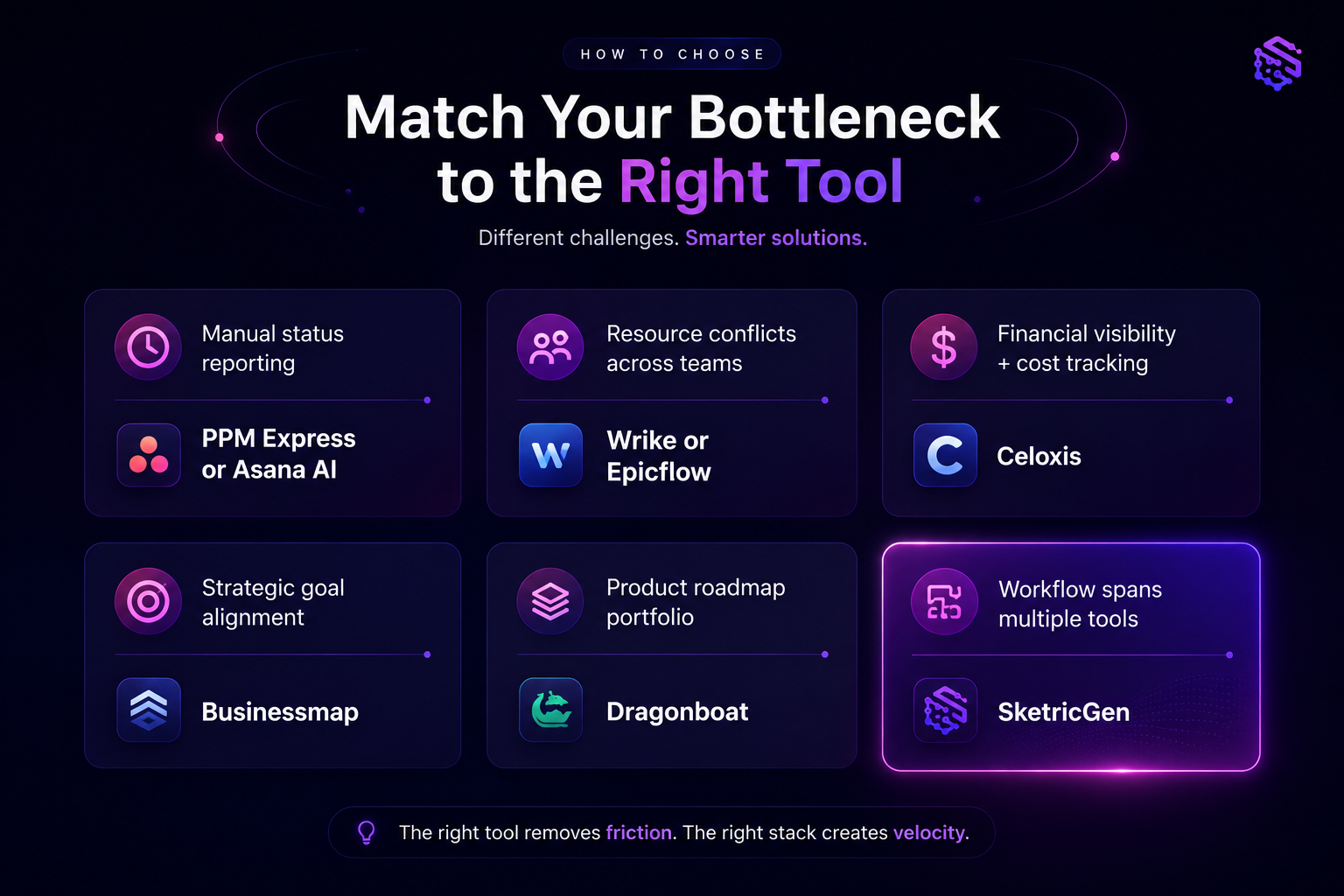
Four questions narrow this list down quickly.
1. What ecosystem does your team live in? If you're on Microsoft 365, PPM Express and Wrike have the deepest integrations. If your team uses Google Workspace, ClickUp or Asana are a more natural fit.
2. What is your primary bottleneck?
| If your main problem is... | Start with... |
|---|---|
| Manual status reporting to executives | PPM Express or Asana AI |
| Resource conflicts across shared teams | Wrike or Epicflow |
| Financial visibility and cost tracking | Celoxis |
| Strategic goal alignment | Businessmap |
| Product roadmap portfolio | Dragonboat |
| Everything, with flexibility | ClickUp AI |
3. How many projects are you running simultaneously? For 5 to 15 projects, ClickUp, Asana, or Monday.com are fast to set up and maintain. For 20 or more with shared resources and executive reporting, Wrike, PPM Express, or Celoxis is worth the implementation investment.
4. Do you need audit trails? If your organization is in a regulated industry, Wrike is the only tool on this list with explicit auditability for every AI agent action.
Decision rule: If your team has been burned by an over-promised AI feature before, start with the tool that has a free trial and get the AI to surface one real problem in your portfolio in week one. If it can't do that, no amount of feature list will change the outcome.
What Practitioners Are Saying:
A senior project manager in r/projectmanagement described their current weekly routine: pulling status from Jira, cross-referencing with a Smartsheet resource tracker, reconciling both against a three-year-old Excel file, then producing a PowerPoint for the exec team — every Monday morning. "By the time the deck is done, the data is already stale." This pattern shows up in nearly every PMO discussion about why AI adoption matters in 2026. The tools that stick are not the ones with the longest feature list. They're the ones that push the alert before you have to go looking for it.
Author Take — Sam
The architecture question matters more than the feature list. Every tool on this list will tell you it has AI. The real question is: does the AI wait for you, or does it work while you sleep?
PPM Express and Wrike have genuinely crossed that line. Most others are building toward it. If I were choosing a tool today for a team running 10 or more projects, I'd pick based on one test: can the AI flag a resource conflict I didn't know existed, without me asking? If yes, it's agentic. If no, it's an assistant with a good marketing page. Both are useful — but they're not the same thing.
If none of these tools gives you the custom AI behavior your workflow actually needs, SketricGen lets you build an agent that connects your PPM stack to everything else — Slack alerts, CRM handoffs, client status dashboards. No code required. Explore the templates or start building.
Next Steps
The clearest path through this list:
- Identify your primary bottleneck — status reporting, resource conflicts, financial visibility, or strategic alignment.
- Match it to the right tier — fully agentic if you need autonomous monitoring; AI-assisted if smarter summaries and visibility solve the problem.
- Run a free trial focused on one real problem. If the AI can surface something useful in week one without heavy configuration, the tool has earned the next conversation.
If none of these tools fits exactly — or if you need an agent that extends beyond what any single PPM platform offers — SketricGen lets you build one. Start building your PPM agent or browse automation templates to see what's possible.
To go deeper on the agent architecture: Agentic AI Explained and AI Agents: A Practical Guide cover the foundations in plain terms.
FAQs
Project management software focuses on individual projects — tasks, timelines, team assignments. Portfolio project management (PPM) software gives you a view across multiple projects simultaneously. The goal is to manage priorities, resource conflicts, and strategic alignment at the program level rather than per project. Tools like PPM Express and Wrike are built specifically for portfolio visibility; ClickUp and Asana can do both but require more configuration to get strong portfolio views.
No. The tools on this list automate the reporting, monitoring, and alerting work — not the judgment work. AI agents flag that a project is at risk of missing a milestone; a project manager decides whether to reschedule, reallocate a resource, or escalate to a sponsor. The PM's job shifts from data gathering to decision-making. That's a better use of time, not a replacement. For more on how this shift works, see Agentic AI Explained.
For small teams, ClickUp AI or Monday.com AI are the most practical starting points. Both are fast to set up, have transparent pricing, and don't require a dedicated administrator to maintain. Asana AI is also strong if cross-functional visibility matters from day one. Avoid enterprise-tier tools like Wrike or Celoxis at this stage — the implementation overhead isn't justified until you're running 20 or more concurrent projects.
Microsoft Project Online is being retired in September 2026. Microsoft is directing users to Project for the Web and Planner Premium. If you're currently on Project Online, the transition decision is whether to stay within the Microsoft ecosystem or use the moment to evaluate alternatives. PPM Express integrates deeply with M365 and is a natural transition path. Wrike is worth considering if your team needs stronger AI agent capabilities than Planner Premium currently offers.
Based on published data, the savings concentrate in status reporting and monitoring. PPM Express reports 99 hours saved per PM per year on project state monitoring, with one customer reporting 60% time reduction on reporting and resource planning. The Resource Management Institute found that effective resource allocation improves project success rates by 15% and reduces costs by 10%. Individual results depend on how manual your current process is.
Five criteria matter most:
- Does it give you cross-project visibility in one view without manual data collection?
- Does the AI surface alerts proactively, or only answer questions when asked?
- Does it integrate with the tools your team uses daily?
- Can it model resource capacity across projects, not just within individual ones?
- Is the pricing transparent and tied to user count, not opaque seat tiers?
If a vendor won't show you live pricing, that's a signal about how the procurement process will go.
Yes. If the tools above don't fit — or if you need an AI agent that connects your PPM data to other parts of your business (Slack alerts, CRM handoffs, client dashboards, automated invoicing) — you can build one without code. SketricGen's agent builder lets you configure custom agents that plug into your existing stack. You can start from a pre-built workflow template and adapt it, or read the AI agents guide to understand the architecture before you build.
Related blogs
View more
AI Executive Assistant vs. AI Chief of Staff: The Difference That Actually Matters
comparisons
AI Email Assistant: Why Drafting Isn't the Problem (and What Actually Fixes Inbox Overload)
comparisons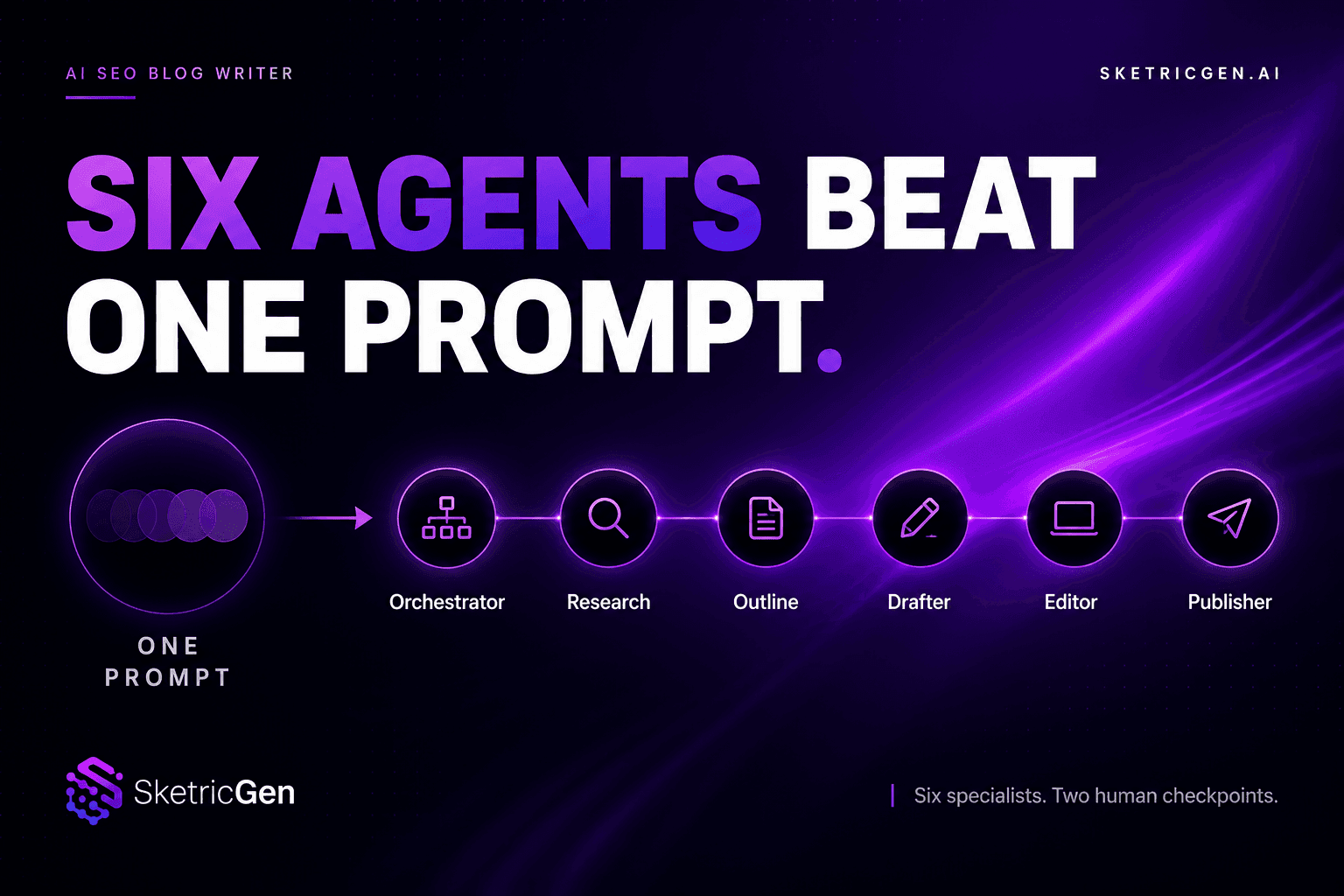
AI SEO Blog Writer: Six Agents Beat One Prompt
comparisons
OpenAI Agent Builder vs. Google Vertex AI Agent Builder vs. No-Code Alternatives (2026)
comparisons
Best AI Agent Builder for Small Business Teams (2026 Buyer's Guide)
comparisons