Why Your AI Agent Keeps Breaking (And the 5 Patterns That Fix It)
You deployed an AI agent. It worked in the demo. Now it breaks on Tuesdays - or randomly, which is somehow worse.
You've restarted it. Tweaked the prompt. Maybe rebuilt part of it. And it still fails in ways that don't make sense, with no clear error message to debug.
The problem almost certainly isn't the model. Fortune reported in March 2026 that "AI agents are getting more capable, but reliability is lagging." Models are improving fast. The design patterns most agents are built on are not.
This post covers the 5 patterns that make AI agents reliable - explained for operators, not developers. No code. No architecture jargon. Just what's missing and how to fix it.
Who This Is For
-
Founders and operators running AI agents or automations in production who are seeing inconsistent results, silent failures, or random breakdowns. Not developers. Not ML engineers.
-
If you're searching "why does my AI agent keep failing" - this is the answer.
Key Points
- 72% of AI workflows fail within their first week of deployment - most failures aren't random, they're structural
- 82% of production AI bugs come from hallucinations, not crashes - agents fail with confident wrong answers, not error messages
- The #1 cause of agent failure isn't the model - it's workflow design
- Five patterns fix this: role isolation, modular sub-workflows, memory scoping, self-correction loops, and failure-first design
- Platforms like SketricGen build these patterns in by default - you don't need to implement them from scratch
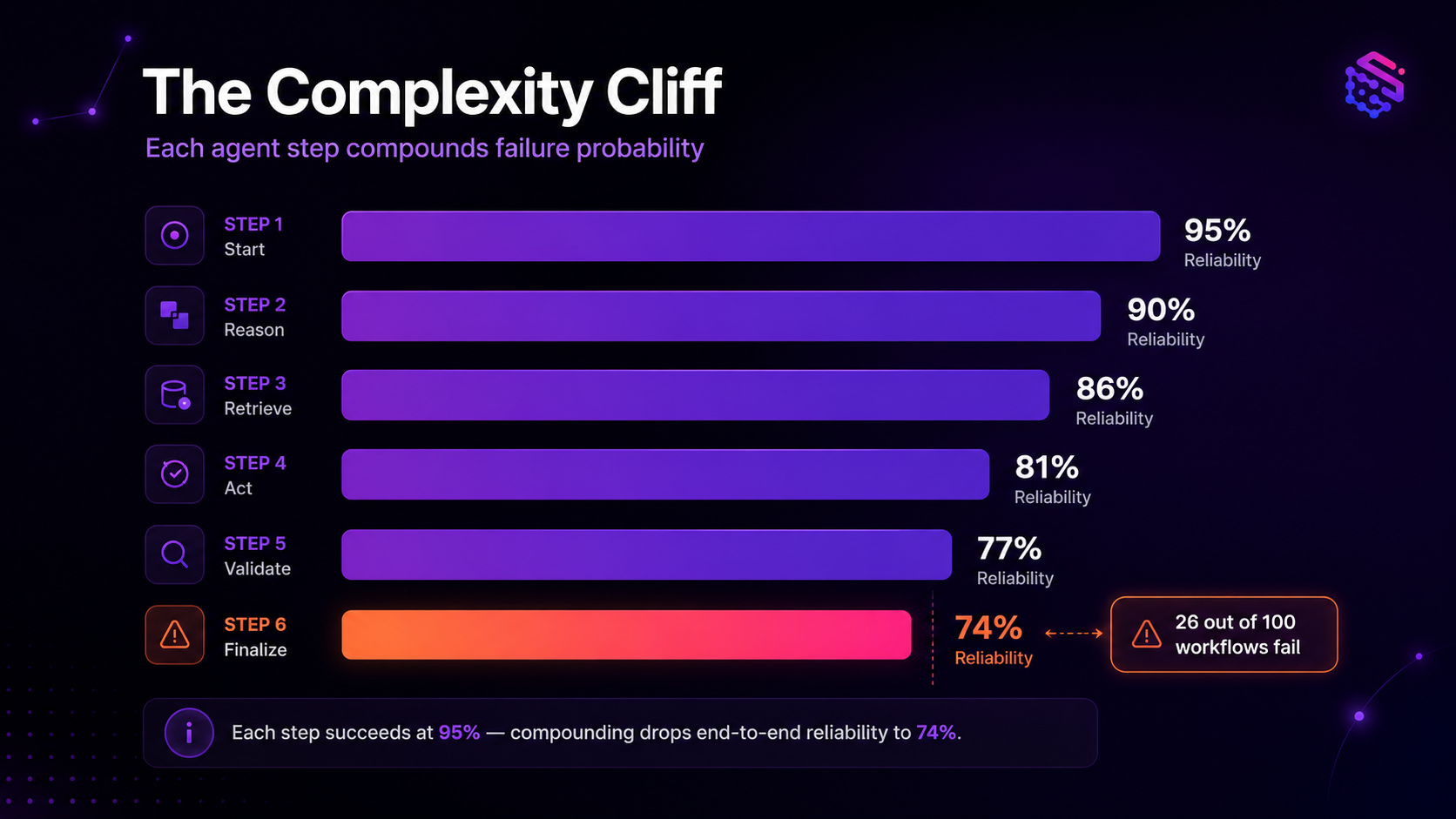
The 5 Reliability Patterns at a Glance
| Pattern | What It Does | What Breaks Without It |
|---|---|---|
| 1. One agent, one job | Isolates roles; limits how far a failure spreads | One failing agent brings down the entire workflow |
| 2. Reusable sub-workflows | Packages logic you can test and fix independently | Fixing one step breaks something else |
| 3. Scope your agent's memory | Keeps context lean; stores facts outside agent memory | Agent confuses sessions or hallucinates past interactions |
| 4. Self-correction loop | Generate then validate then revise with a hard cap | Agent outputs confident wrong answers with no retry |
| 5. Failure-first design | Timeouts, structured error paths, human escalation | One bad API call crashes the whole workflow |
The Complexity Cliff: Why More Agents Makes Things Worse
There's a concept engineers call the "complexity cliff." It's the point where adding more agents to a workflow creates a more fragile system, not a smarter one.
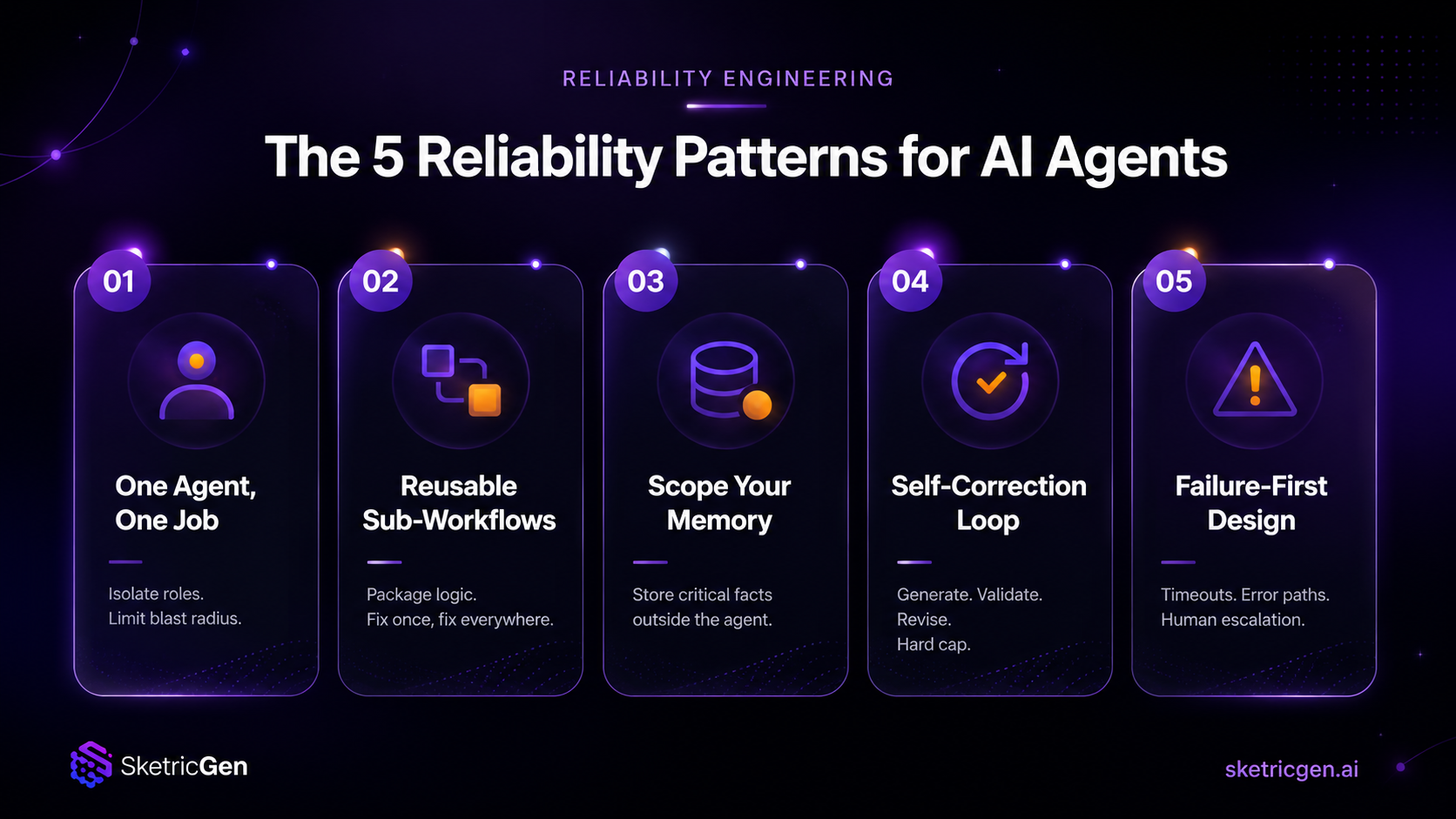
The math is the clearest illustration. If each step of your workflow succeeds 95% of the time - which sounds high - a 6-step workflow only succeeds 74% of the time end-to-end. Run 100 customer conversations through it and 26 fail. Not because the AI is bad. Because failure probability compounds with every step.
Most agents are also built in the wrong direction. Towards Data Science put it plainly: agents are "built backwards" - from goal to tools to model, with the assumption that the model fills the gaps. It doesn't. Not at the consistency level a business needs.
When operators hit the complexity cliff, the instinct is to add more agents to patch edge cases. That usually makes things worse. Each extra agent is one more compounding failure point.
The fix is not more agents. It's better-structured ones. This is also a core reason why enterprise AI agent deployments fail at such a high rate - rarely a model issue, almost always a workflow design issue.
Pattern 1: One Agent, One Job
The most reliable workflows use an orchestrator that delegates to specialist agents. Each specialist has a focused role, a defined tool set, and a limited scope.
Take a customer support workflow. One agent classifies the incoming query. One handles billing. One handles technical issues. Each can fail independently without taking down the others.
What breaks without this: a single generalist agent that tries to do everything. When it fails on one type of query, it's hard to isolate exactly why. You end up guessing what went wrong.
Routing quality is the lever here. The orchestrator routes based on how each specialist agent is described. Vague descriptions mean bad routing, and bad routing means queries land in the wrong place. How multi-agent AI systems work together covers when AI-routed orchestration vs. forced deterministic handoffs make more sense for your use case.
Pattern 2: Reusable Sub-Workflows
Logic that appears across multiple workflows - email classification, data extraction, summarization - should be packaged as an independent sub-workflow. Not rebuilt each time.
This does two things. First, you can test that logic in isolation and confirm it works before wiring it into a larger workflow. Second, when it breaks, you fix it once and it's fixed everywhere it's used.
What breaks without this: everything is interconnected. Fix one step and something else shifts. You end up debugging the whole system every time there's a problem, with no clean isolation point.
The rule: if you've written the same logic in two different workflows, it belongs in a sub-workflow.
Pattern 3: Scope Your Agent's Memory
Agents can access two kinds of memory: window buffer memory (a rolling record of recent messages) and persistent memory stored externally in a database.
Most agents over-rely on window buffer memory. The result: they forget context mid-conversation, confuse sessions, or confidently hallucinate past interactions that didn't happen.
The fix is aggressive context scoping. Give the agent only what it needs for the current task. Store critical facts - user history, account data, preferences - outside the agent in a database it queries on demand.
The rule: "scope context aggressively, store critical facts outside memory."
What breaks without this: a support agent that apologizes for forgetting what the customer just said. Or one that references an interaction that never happened - confidently.
Pattern 4: Build in a Self-Correction Loop
The most damaging failure mode isn't a crash. It's when an agent returns a confident, wrong answer.
82% of AI bugs in production come from hallucinations, not crashes. The agent doesn't throw an error. It invents a plausible-sounding response and keeps going - sometimes corrupting everything downstream before anyone notices.
The fix is a Generate, Validate, Revise cycle with a hard iteration cap. The agent generates a response. A validation step checks whether it meets defined criteria: correct format, answers the actual question, isn't vague. If it fails validation, the agent revises - with specific feedback about what's wrong, not a generic retry instruction.
Keep the cap at two to three iterations. Beyond that, additional loops tend to degrade quality. Always define a fallback for when the loop ends without a valid result: human escalation, or a clear "I couldn't complete this" response.
Pattern 5: Treat Failures as First-Class Design
Failure handling is where most agent builds fall apart. It gets left until last because it's unglamorous - and the result is a workflow that collapses the moment anything unexpected happens.
Coasty AI documented this clearly in 2026: "Agents hallucinate data, enter silent loops, and corrupt your state without throwing any errors." Traditional software fails loudly with an error. AI agents fail quietly with an answer.
Four things to build in from the start
-
Failure isolation: One failing component should not kill the workflow. Each node should fail independently and return a structured error response the orchestrator can act on.
-
Hard timeouts: Any external call or sub-workflow should have a timeout ceiling - 30 seconds is a reasonable upper bound. Without it, one slow API call holds up every downstream step indefinitely.
-
Structured error responses: When something fails, return a specific, parseable error - not a generic failure message. The orchestrator needs to know what failed and why in order to decide what to do next.
-
Human escalation path: Some failures shouldn't be retried. They should go to a human. Build that path in from day one, not as an afterthought when something breaks in production.
Integration fragility lives here too. External APIs change. Rate limits get hit. Authentication tokens expire. As Composio noted in their analysis of outgrowing n8n and Make for production AI agents, community-maintained integrations are especially vulnerable - when an API changes, you're waiting on a third party to push a fix before your workflow recovers.
This integration layer issue is a key part of why teams move to purpose-built AI workflow platforms that treat connection reliability as a product concern, not a community task.
Author note - Sam
The biggest reliability mistake I see is operators building agents that assume every step will succeed. The workflows that hold up in production are the ones designed around failure - not around the happy path. Build the error paths first. The happy path will work itself out.
What practitioners are saying
The community signal on AI agent failures is consistent. Operators report the same problems repeatedly: "I added more agents and it got worse." "API changes keep breaking my workflow." "The demo worked perfectly. The live version is a mess." A 2026 survey found the average team spends 4 hours per week debugging agent failures - often more time than the manual task originally took. These aren't edge cases. They're the default outcome when agents are built without reliability patterns baked in.
How SketricGen Handles This For You
These 5 patterns are well-documented in engineering circles. The problem is that most operators build agents without them - not because they're careless, but because no one explained what was needed or gave them a tool that handled it automatically.
SketricGen is built around these patterns by default. Here's how they map to what the platform does:
Pattern 1 (role isolation): SketricGen's orchestration layer gives you both AI-routed orchestration and Forced Handoff for deterministic, guaranteed step execution. Each agent has a defined role. Every handoff is traceable. Read about orchestration and handoffs in the docs.
Pattern 2 (modular sub-workflows): The visual AgentSpace canvas lets you build and test workflow components independently. Configurations export as JSON for versioning and sharing across teams.
Pattern 3 (memory scoping): Structured inputs and outputs - typed schemas with validation - ensure each agent receives only the right data for its task. No context leakage between steps.
Pattern 4 (self-correction): Built-in traces show exactly which agents ran, what they decided, which tools they called, and what the workflow cost. You're not debugging a black box - you're reading a structured log of every decision.
Pattern 5 (failure-first design): Deployment options include human escalation paths. Traces flag where failures occurred and what the response was. The instrumentation is built in from day one.
The fastest path to a reliable agent is starting from a workflow that already has these patterns in place. SketricGen's ready-made workflow templates are structured around these patterns - customer support, lead qualification, and more - with reliability built into the structure, not bolted on afterward.
You can also start fresh: describe what you need in plain English to Max Orchestrator, and it builds a structured, role-isolated workflow in minutes. No architecture knowledge required.
If you've been working with n8n or similar platforms and hitting these same problems, no-code alternatives to n8n for building AI agents covers what to look for in a platform that handles reliability at the infrastructure level.
Next Steps
If your AI agent keeps breaking, the fix is almost always in the workflow design - not in the model.
These 5 patterns are the foundation: role isolation, modular sub-workflows, memory scoping, self-correction loops, and failure-first design. Get them in place and reliability follows.
The fastest path is starting from a workflow that already has them built in. SketricGen's ready-made workflow templates are structured around these patterns - pick one that fits your use case and iterate from there.
Or describe what you need to Max Orchestrator and it builds the structured, reliable workflow for you.
Related reading:
- Why enterprise AI agent deployments fail (and what SMBs do differently)
- How to build a multi-agent workflow in under 10 minutes
- Multi-agent AI explained: how systems work together
FAQs
Testing uses clean inputs, cooperative users, and pre-defined scenarios. Production gets messy inputs, unexpected behavior, API rate limits, and edge cases your test never covered. The gap isn't in the model - it's in the workflow's ability to handle variation. Production-ready agents are designed explicitly for failure, not just for the happy path.
The complexity cliff is the point where adding more agents to a workflow makes it less reliable, not more. Each added agent creates another compounding failure point. A 6-step workflow where each step succeeds 95% of the time only succeeds end-to-end 74% of the time. More steps means more compounding - which means more failures, even when each individual step looks reliable in isolation.
Silent failures happen when an agent returns a wrong answer instead of an error. The two fixes are: (1) a self-correction loop with a validation step that checks outputs before passing them downstream, and (2) built-in tracing so you can see exactly what the agent decided at each step. Without both, you're guessing where and why things went wrong.
Start with as few as possible. A single orchestrator with two to three specialist agents handles most SMB use cases cleanly. Add agents only when there's a clear, tested reason - not to patch edge cases you haven't properly diagnosed. Complexity compounds; scope narrow first and expand later.
A crash throws an error and stops. A hallucination produces a confident, plausible-sounding wrong answer and keeps going - often corrupting downstream steps before anyone notices. 82% of AI production bugs are hallucinations, not crashes. This is why validation steps and tracing matter more than basic error handling alone.
Usually yes. The highest-impact changes are typically: adding a validation step to catch hallucinations before they propagate, adding hard timeouts on external API calls, and tightening what data the agent receives at each step. If one agent is doing too many jobs, restructuring around role isolation helps significantly - but that's restructuring, not a full rebuild.
Related blogs
View more
What Is an AI Marketing Agent? What It Automates, and What It Cannot
ai trends and research
AI-Proof Jobs in 2026: What the Data Actually Shows
ai trends and research
What Is AI Agent Orchestration? A Plain-English Guide (2026)
ai trends and research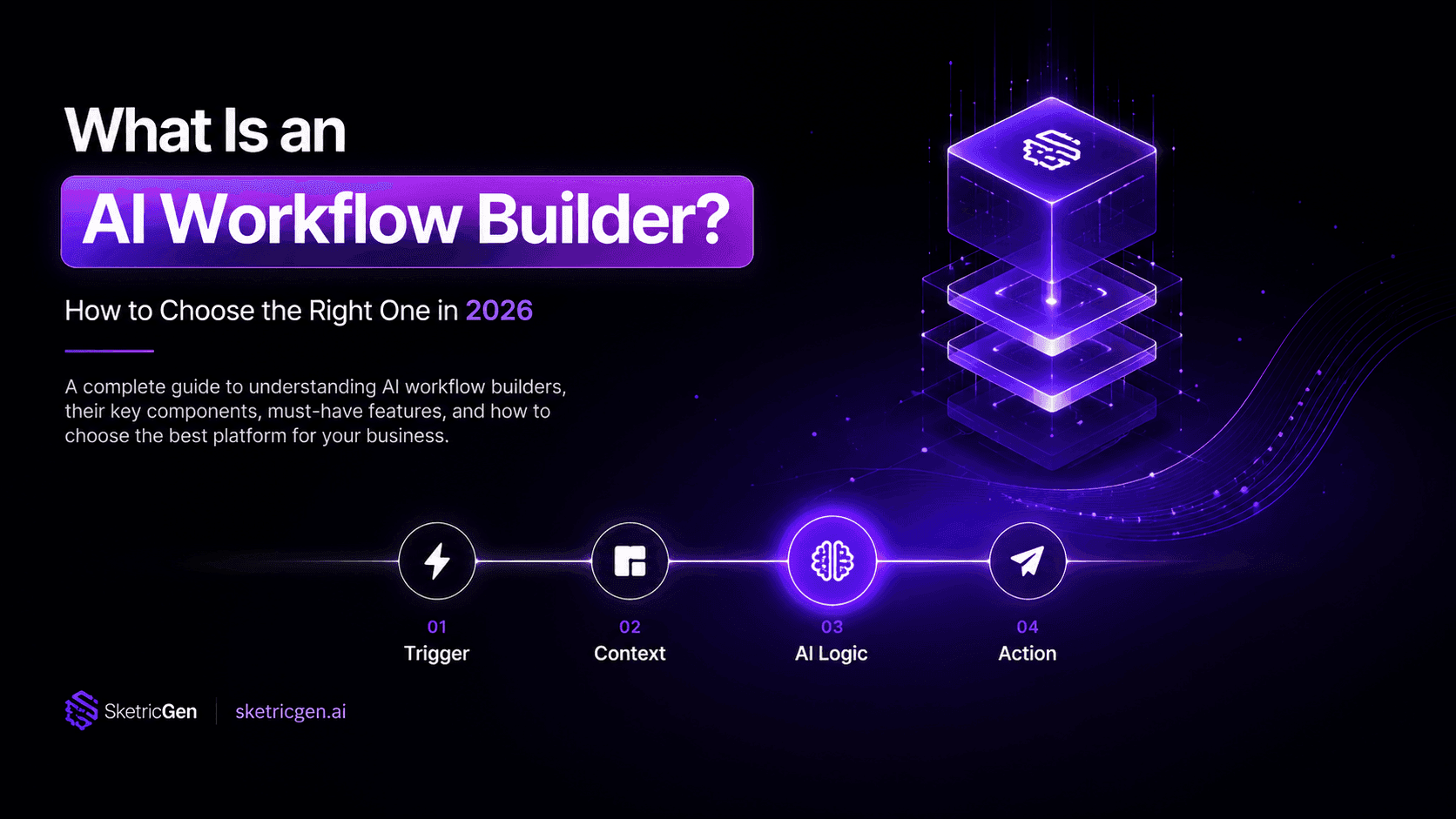
What Is an AI Workflow Builder? How to Choose the Right One in 2026
ai trends and research
87% of Small Businesses Use AI. Only 14% Have It Running Their Business.
ai trends and research