5 Best Lindy AI Alternatives for Building Custom AI Agents
Lindy AI markets itself as the platform where you describe an agent and it works for you. An "AI employee" that handles emails, schedules meetings, qualifies leads, and automates workflows without code.
That pitch works until you hit the credit wall.
Users on Trustpilot rate Lindy at 2.4 out of 5 stars. The most common complaints: credits disappearing faster than expected, agents looping through paid credits only to fail, charges appearing after cancellation, and support tickets going unanswered. One reviewer described an agent "burning through over 2,000 paid credits just to decide it wasn't right and delete everything."
If you're here after Lindy ran out of credits in the middle of a real test, you know the feeling. You wanted a custom AI agent builder. You got credit anxiety instead.
This guide covers five Lindy AI alternatives that solve the specific problems Lindy users keep running into: opaque debugging, unpredictable costs, limited deployment options, and workflows that break under real complexity. These options were evaluated across lead routing, support triage, and content ops workflows, with a focus on ease of use and time saving.
Who This Is For
- Startup founders who need AI agents deployed to real channels (websites, WhatsApp) without burning through credits on testing
- RevOps leads building multi-step pipelines that need trace-level visibility, not a black box
- SMB executives looking for a no-code AI agent builder that scales without surprise bills
Key Points
- SketricGen is the strongest Lindy alternative for teams that want text-to-workflow generation, visual editing, and multi-channel deployment with full trace visibility and fast, easy iteration
- n8n is the pick for technical teams who want open-source control and self-hosting
- Make works well for budget-conscious teams running visual automations (not AI-native agents) that need predictable pricing and quick setup
- Relevance AI fits data-heavy teams needing multi-agent orchestration with vector search
- Botpress is the option for teams focused on conversational AI and chatbot-first experiences
- Lindy's credit-based pricing model is the single biggest reason users look for alternatives
At-a-Glance Comparison
| Feature | Lindy AI | SketricGen | n8n | Make | Relevance AI | Botpress |
|---|---|---|---|---|---|---|
| Pricing model | Credit-based ($49.99/mo+) | Subscription-based | Free (self-hosted) / Cloud plans | Per-operation pricing | Usage-based | Free tier + Pro plans |
| Visual builder | Basic template UI | Drag-and-drop AgentSpace | Node-based canvas | Scenario builder | Logic builder | Flow editor |
| Multi-agent orchestration | Single agent focus | AI-routed + forced handoffs | Manual wiring required | Not native | Built-in | Limited |
| Text-to-workflow | Describe agent in text | Max Agent Builder (full workflow) | No | No | No | No |
| Deployment channels | Web embed | Website widget, WhatsApp, API | API, webhooks | API, webhooks | API | Web, messaging channels |
| Trace/debug visibility | Limited | Full traces (handoffs, tool calls, latency, costs) | Execution logs | Execution history | Run logs | Conversation logs |
| Integrations | 234+ apps | 2,000+ apps | 1,200+ apps | 2,000+ apps | 100+ apps | 100+ channels |
| Best for | Personal productivity | Production AI agent workflows | Technical teams | Budget automations | Data workflows | Conversational AI |
Why Users Are Looking for Lindy Alternatives
The credit system punishes experimentation
Lindy's pricing starts at $49.99/month for 5,000 credits. That sounds reasonable until you realize that complex agent actions consume credits at variable rates ($0.01 to $0.10+ per task depending on the AI model used). Building, testing, and iterating on an agent can drain a month's credits in a single afternoon.
As one reviewer put it: "I burned through those credits incredibly fast... it creates a kind of credit anxiety that discourages experimentation." (Source)
That is the opposite of what you want from a builder tool. Good agent design requires iteration. A pricing model that penalizes testing penalizes quality.
Limited debugging and trace visibility
When a Lindy agent fails or produces wrong output, figuring out why is difficult. There is no granular trace of which step failed, what data was passed between actions, or where the logic broke down. Users report having to "copy-paste context into prompts to prevent hallucination" because the platform does not surface what the agent is actually doing under the hood.
For teams running customer-facing agents, this is a dealbreaker. You need to know exactly what your agent said, why it said it, and how to fix it.
Mistake to avoid: Do not evaluate an AI agent platform based on its demo use case alone. Run your most complex real workflow through it. If you cannot trace exactly what the agent did at each step, you will hit a wall in production.Consumer-focused, not built for teams
Lindy handles personal productivity well: email triage, meeting scheduling, basic CRM updates. But it was not designed for multi-agent workflows where agents collaborate, hand off tasks, and operate across departments. Role management, audit logs, and version tracking are still being built out, which limits visibility and governance for teams.
A Spectrum AI Lab comparison described Lindy as "consumer-focused (not enterprise workflows)" and "overkill for simple tasks" at the same time. That is a narrow sweet spot.
Billing and support gaps
Beyond the credit system, Trustpilot reviews document a pattern of billing issues: charges after cancellation, non-refundable plans, and support teams that do not respond to emails. For a paid SaaS tool, that level of billing friction erodes trust fast.
Pro tip: Before committing to any AI agent platform, test your most complex workflow on the free tier first. If the free tier blocks the actions you actually need (Lindy's free plan restricts premium actions), that tells you something about how the platform views experimentation.The 5 Best Lindy AI Alternatives
1. SketricGen: Best Overall Lindy Alternative

SketricGen is a no-code AI agent workflow builder that takes a fundamentally different approach from Lindy. Instead of describing a single "AI employee" and hoping it works, SketricGen lets you generate entire multi-agent workflows from a text description, then refine them visually with full trace visibility. It is designed to feel easy for business teams while still giving power users precise control.
What makes it different from Lindy:
-
Max Agent Builder (text-to-workflow): Describe what you need in plain English. Max runs requirement gathering to clarify goals, constraints, and data sources, then generates a complete multi-agent workflow in real time. This is not a chatbot you prompt and hope for the right output. It is a workflow generator that builds and updates the orchestration as it works.
-
AgentSpace (visual canvas): Once Max generates the workflow, you refine it on a drag-and-drop canvas. Adjust agent roles, instructions, tools, routing logic, and structured schemas directly. No code required, but you have full control over every node. (AgentSpace docs)
-
Trace-level debugging: Every agent run is traceable. See which agents ran, what tools they called, how handoffs happened, latency per step, and credit usage. When something breaks, you know exactly where and why. This is the single biggest gap in Lindy's platform. (Traces docs)
-
Brand Agents: Need a customer-facing AI chatbot on your website? Brand Agents let you deploy a trained chatbot in under 2 minutes. Train it on your docs, FAQs, or knowledge base, then embed it. This is the fastest path to value for teams coming from Lindy.
-
Multi-channel deployment: Deploy agents to your website (embed/widget), WhatsApp, or integrate via API. Lindy is limited to web embed. SketricGen gives you the channels your customers actually use.
-
2,000+ integrations: Connect agents to external tools through OAuth or API key connections. Includes native tools like File Search, Web Search, Code Interpreter, API Request, and MCP support.
-
Orchestration options: Choose AI-routed orchestration (agents decide how to act), designer-routed pipelines (deterministic step execution), or agent-as-tool patterns (reusable subtasks). Lindy's single-agent model does not support this level of coordination.
-
Structured inputs/outputs: Typed schemas ensure predictable data passing between agents. No more agents hallucinating output formats or breaking downstream steps.
Pricing: Subscription-based with transparent tiers. No credit-burning model. See pricing.
Best for: Teams that need production-grade custom AI agents with workflow control, trace visibility, and multi-channel deployment.

Start building with SketricGen | Browse templates
Pro tip: If you are coming from Lindy, start with a Brand Agent to get value in minutes. Upload your FAQ or product docs, customize the look, and embed it on your site. Then use Max to build your first multi-agent workflow for something more complex like lead routing or support triage.2. n8n: Best for Technical Teams Who Want Full Control
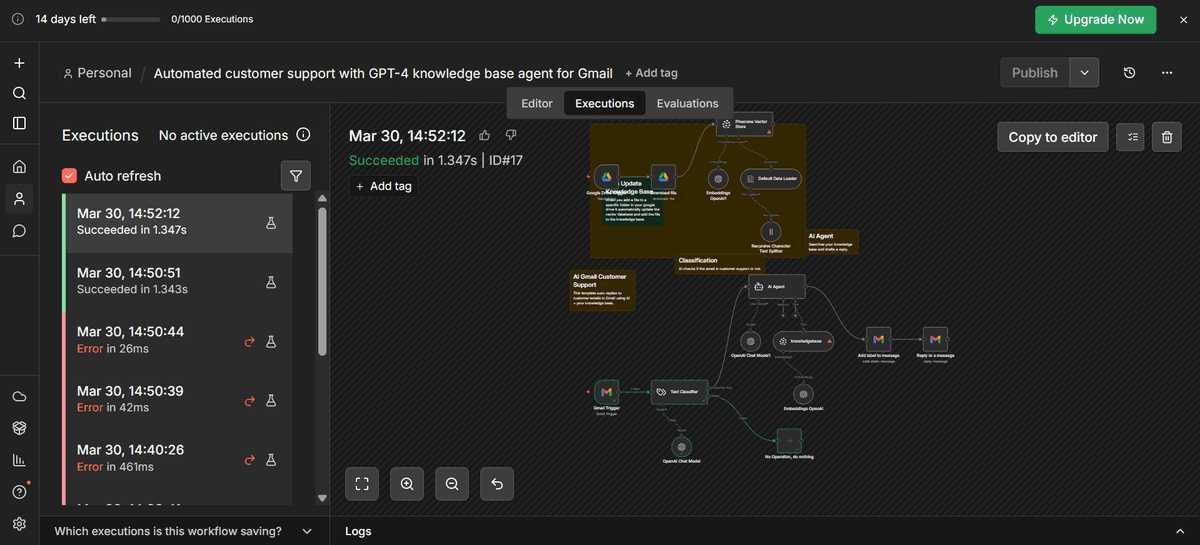
n8n is an open-source workflow automation platform that gives technical teams complete control over their automation infrastructure. You can self-host it, inspect every node, and extend it with custom JavaScript. In the Lindy vs n8n debate, n8n wins when you need technical transparency at the cost of more manual setup.
Key strengths:
- Open-source with self-hosting option (full data control)
- 1,200+ native integrations
- Node-based visual canvas for workflow design
- AI capabilities via OpenAI, Claude, and other LLM nodes
- Active community with 170,000+ GitHub stars
Tradeoffs:
- AI agent workflows require manual wiring (memory logic, prompt construction, error handling, fallback flows)
- No text-to-workflow generation
- Requires JavaScript, JSON, and API knowledge for setup
- No built-in multi-agent orchestration
- Learning curve is steep for non-technical users
Pricing: Free (self-hosted), cloud plans from EUR 20/month.
Best for: Dev teams with privacy or compliance requirements who want full code control and are comfortable with manual AI agent setup.
As one comparison noted: "Every agent must be hand-wired. The memory logic, prompt construction, error handling, and fallback flows all require manual setup, making it flexible but not fast for business teams." (Source)
3. Make: Best Visual Builder on a Budget

Make (formerly Integromat) is a visual automation platform with a drag-and-drop scenario builder. It is one of the most affordable options for teams that want workflow automation without code.
Key strengths:
- Intuitive drag-and-drop scenario builder
- 2,000+ app integrations
- Per-operation pricing (predictable at lower volumes)
- Rolling out AI-powered automation features
- Strong template library
- Good for fast setup and time saving on simple business workflows
Tradeoffs:
- Not built for AI-native agent workflows
- No multi-agent orchestration
- AI features are add-ons, not the core architecture
- No text-to-workflow generation
- No trace-level debugging for agent behavior
- Deployment limited to API/webhooks (no direct website embed or WhatsApp)
Pricing: Free tier available, paid plans from $9/month.
Best for: Marketing and operations teams on a budget who need visual automation for traditional workflows. If your use case is "connect App A to App B with conditions," Make is solid. If you need custom AI agents that reason, collaborate, and deploy to customer channels, you will outgrow it.
Decision rule: If your automation is mostly "when X happens, do Y in another app," Make is enough. If your automation requires agents that read context, make decisions, and hand off to other agents, you need a platform built for orchestration.4. Relevance AI: Best for Data-Heavy AI Workflows

Relevance AI is built for teams that need AI agents working with large datasets, knowledge bases, and vector search. It offers multi-agent orchestration with a custom logic builder.
Key strengths:
- Multi-agent orchestration built in
- Integrated vector database for knowledge retrieval
- Custom logic builder for complex workflows
- Strong data processing and transformation tools
- Enterprise-grade security options
Tradeoffs:
- Steeper learning curve than SketricGen or Make
- Enterprise pricing (not SMB-friendly)
- No text-to-workflow generation
- UI is less intuitive for non-technical users
- Deployment options are more limited
Pricing: Usage-based, enterprise pricing available on request.
Best for: Data teams and enterprises with complex data pipelines who need agents that can search, retrieve, and act on large knowledge bases.
5. Botpress: Best for Conversational AI Agents
Botpress bridges the gap between no-code chatbot builders and developer platforms. It is focused on conversational AI with strong NLU (Natural Language Understanding) and conversation design tools.
Key strengths:
- Pre-built templates for common chatbot use cases
- Custom JavaScript injection for developer extensibility
- Strong conversation design and NLU capabilities
- Multi-channel deployment (web, messaging platforms)
- Active developer community
Tradeoffs:
- Chatbot-first, not workflow-first (limited for non-conversational automation)
- Multi-agent orchestration is limited
- No visual workflow builder for complex multi-step pipelines
- No text-to-workflow generation
- Less suited for backend automation (data processing, API orchestration)
Pricing: Free tier available, Pro plans with usage-based pricing.
Best for: Teams building customer-facing chatbots or conversational interfaces who want more control than Lindy offers but are focused on chat rather than full workflow automation.
Feature Comparison Table
| Feature | SketricGen | Lindy AI | n8n | Make | Relevance AI | Zapier |
|---|---|---|---|---|---|---|
| Visual Builder Ease | ⭐⭐⭐⭐⭐ | ⭐⭐⭐ | ⭐⭐⭐⭐ | ⭐⭐⭐⭐⭐ | ⭐⭐⭐⭐ | ⭐⭐⭐ |
| Multi-Agent Support | ⭐⭐⭐⭐⭐ | ⭐⭐ | ⭐⭐⭐⭐ | ⭐⭐⭐ | ⭐⭐⭐⭐ | ⭐ |
| Deployment Channels | WhatsApp, Slack, Web, API | Limited API | API-focused | API-focused | API-focused | 6,000+ apps |
| AI Agent Personality | Brand Agents | Basic | None | None | Advanced | None |
| Learning Curve | Low | Low | Medium | Low | Medium | Very Low |
| Pricing Transparency | Clear tiers | Opaque | Free core | Clear | Complex | Freemium |
How to Choose the Right Lindy Alternative
| Your situation | Best pick | Why |
|---|---|---|
| Want to go from idea to deployed agent in under 10 minutes | SketricGen | Brand Agents deploy in under 2 minutes; Max builds full workflows from a text description |
| Need production agents fast, with visual builder and trace visibility | SketricGen | Max generates workflows from text, AgentSpace lets you refine visually, traces show exactly what happened |
| Technical team, need self-hosting and full code control | n8n | Open-source, self-hostable, maximum flexibility with manual setup |
| Budget-conscious, need simple visual automations | Make | Affordable per-operation pricing, strong visual builder for traditional workflows |
| Data-heavy workflows with vector search needs | Relevance AI | Built-in vector database, multi-agent orchestration for data pipelines |
| Conversational AI and chatbot-first | Botpress | Strong NLU, conversation design tools, multi-channel chat deployment |
| Need website + WhatsApp deployment for customer-facing AI | SketricGen | Only platform on this list with native WhatsApp + website widget deployment |
Author Take
I have tested several AI agent platforms for different use cases. The pattern I keep seeing: the platforms that market themselves as "AI employees" tend to oversimplify what it takes to build reliable agents. They make the first 5 minutes feel great, then leave you stuck when the workflow gets real.
What matters for production agents is not how fast you can describe one. It is how fast you can debug one, iterate on it, and deploy it to the channels your users actually use.
SketricGen's approach matches how I think about agent building: Max helps you get the first version out fast, AgentSpace gives you the visual control to refine it, and traces let you see exactly what happened on every run. The Brand Agents feature is a real differentiator for teams that want a customer-facing AI on their website without a multi-week setup.
Is it the right fit for everyone? No. If you are a dev team that wants to self-host and wire everything manually, n8n gives you that. If you just need simple app-to-app automation, Make is cheaper. But for teams that want production-grade custom AI agents with real visibility and multi-channel reach, SketricGen is where I would start.
Start Building Custom AI Agents Today
Lindy AI introduced many people to the idea of no-code AI agents. But its credit model, debugging limitations, and consumer-focused architecture create real friction for teams building production workflows.
If you want a platform built for custom AI agents with workflow control, trace visibility, and real deployment options:
Start building with SketricGen for free
Already know your use case? Browse ready-made templates to see working agent workflows for lead routing, customer support, content ops, and more.
Want to see how other platforms compare? Read our in-depth reviews:
- 6 Best No-Code AI Agent Builders, Tried and Tested
- 3 Best Zapier Alternatives for AI Automation
- What is an AI Workflow Builder?
FAQs
Lindy AI works well for simple agent creation but struggles with complex workflows, limited deployment options, and visual debugging. Users on Reddit frequently mention that while natural language setup works for basic cases, production agents require workarounds that undermine the platform's simplicity.
Yes, SketricGen maintains Lindy's ease of use while adding powerful visual tools. The Max text-to-workflow feature lets you start with natural language descriptions, then refine them visually - giving you the best of both approaches without Lindy's limitations.
Yes. SketricGen's Max text-to-workflow converts Lindy agent descriptions into visual diagrams instantly. From there, you can add conditional logic and integrations that Lindy couldn't handle. Most users complete migration within a week.
The credit system. Lindy charges variable rates per task ($0.01 to $0.10+ depending on AI model complexity), and users consistently report burning through monthly credits during testing and iteration. Combined with limited debugging tools, this means every failed attempt costs real money with little visibility into what went wrong.
n8n gives you more control and transparency. It is open-source, self-hostable, and shows workflow logic clearly. But AI agent capabilities are not built in. You need to manually wire LLM nodes, memory, error handling, and routing. For technical teams comfortable with JavaScript and APIs, n8n is more capable. For non-technical teams, it is harder to start with. SketricGen sits between the two: no-code visual building with the orchestration depth of a developer tool.
n8n's self-hosted version is completely free with no feature restrictions. Make offers a free tier with limited operations. SketricGen offers a free tier to get started with agent building. Lindy's free plan gives 400 credits monthly but blocks premium actions, making it functionally limited for real testing.
SketricGen offers better AI agent personality features and easier deployment, while n8n provides more technical flexibility for complex integrations. Choose SketricGen for business-focused AI agents; choose n8n for engineering teams needing deep workflow customization.
SketricGen supports WhatsApp, Slack, websites, and custom API deployments out of the box. Lindy AI's deployment options are more limited, often requiring additional API work for the same channels.
SketricGen supports native WhatsApp deployment alongside website widget and API channels. Most other platforms on this list (n8n, Make, Relevance AI) are limited to API/webhook deployment without native WhatsApp support. Botpress supports some messaging channels. Lindy itself is limited to web embed.
Yes, SketricGen's coordination tools let agents share context and hand off tasks seamlessly. Lindy AI struggles with multi-agent scenarios at scale, while SketricGen makes complex agent interactions feel simple.
For the fastest path from zero to deployed agent, SketricGen's Brand Agents feature lets you launch a trained AI chatbot on your website in under 2 minutes. For full workflow building, the Max Agent Builder generates multi-agent workflows from a text description, which is faster than manually configuring agents on any other platform.
Related blogs
View more
9 Best AI Marketing Agents, Tested (2026)
comparisons
Agentic Marketing vs. Marketing Automation: A Decision Framework
comparisons
AI Executive Assistant vs. AI Chief of Staff: The Difference That Actually Matters
comparisons
AI Email Assistant: Why Drafting Isn't the Problem (and What Actually Fixes Inbox Overload)
comparisons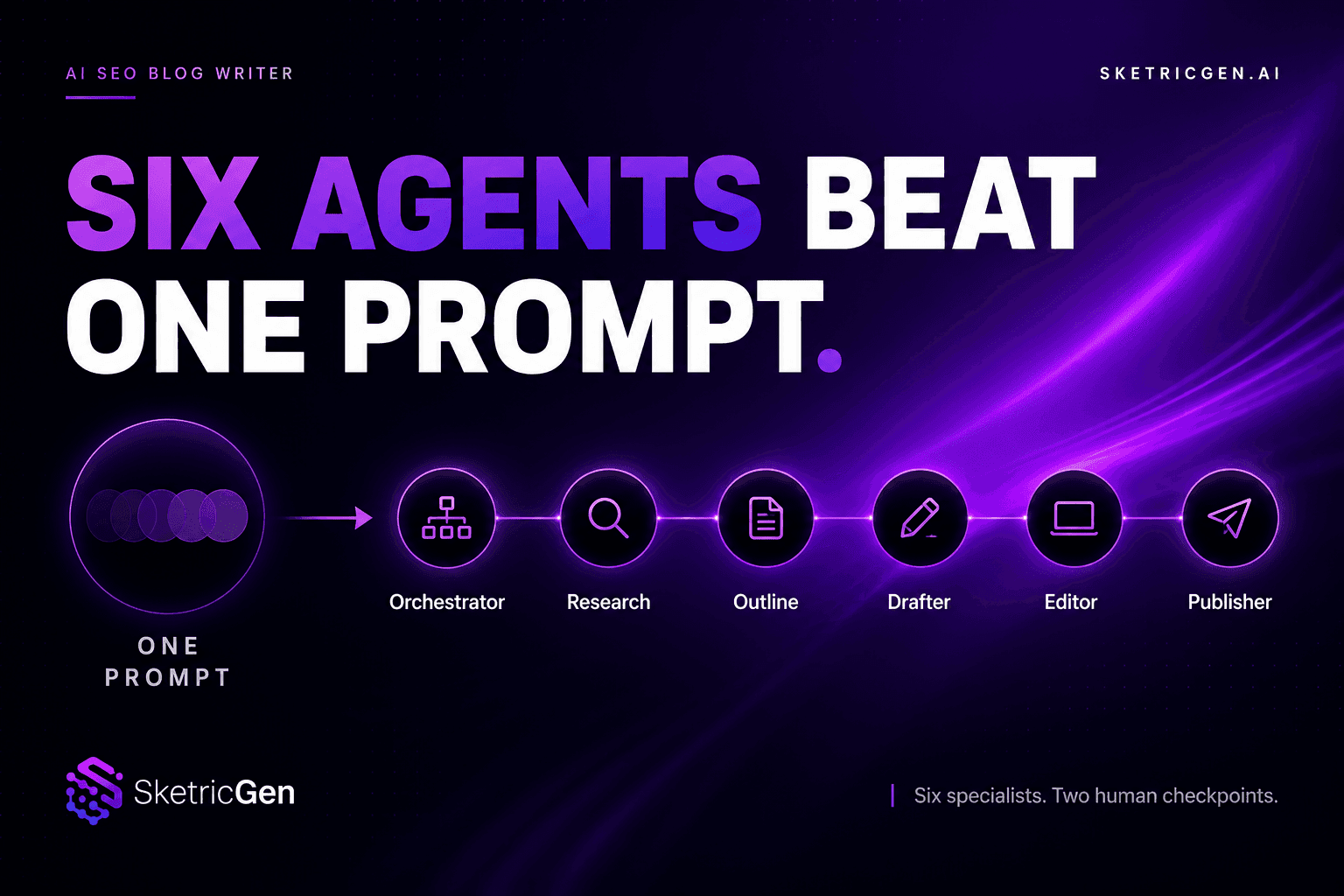
AI SEO Blog Writer: Six Agents Beat One Prompt
comparisons