How to Build and Use MCPs (Model Context Protocol) in 2026
MCP (Model Context Protocol) is the connector standard that makes AI agents useful in real workflows. Think of it like USB-C for AI: one common way for models to plug into tools and data.
Who this is for
This guide is for founders, operators, RevOps leaders, and product managers who need to understand what MCP means for their stack — and whether they should start using it today.
Why this matters
- MCP lets AI agents talk to external apps like Linear, GitHub, HubSpot, and spreadsheets through a shared protocol.
- In 2026, the AI ecosystem has 1,000+ MCP servers and roughly 97M SDK downloads per month.
- It is not a magic bullet; security, token costs, and complexity still hold immense value.
- The practical question for most teams is: "Should I use a platform that handles MCP for me?"
| Metric | Value |
|---|---|
| MCP servers available | 1,000+ |
| Monthly SDK downloads | 97M+ |
| Major adopters | Anthropic, OpenAI, Google, Microsoft |
| Top builder pain point | Security (50% of builders) |
| Governance | Linux Foundation (since Dec 2025) |
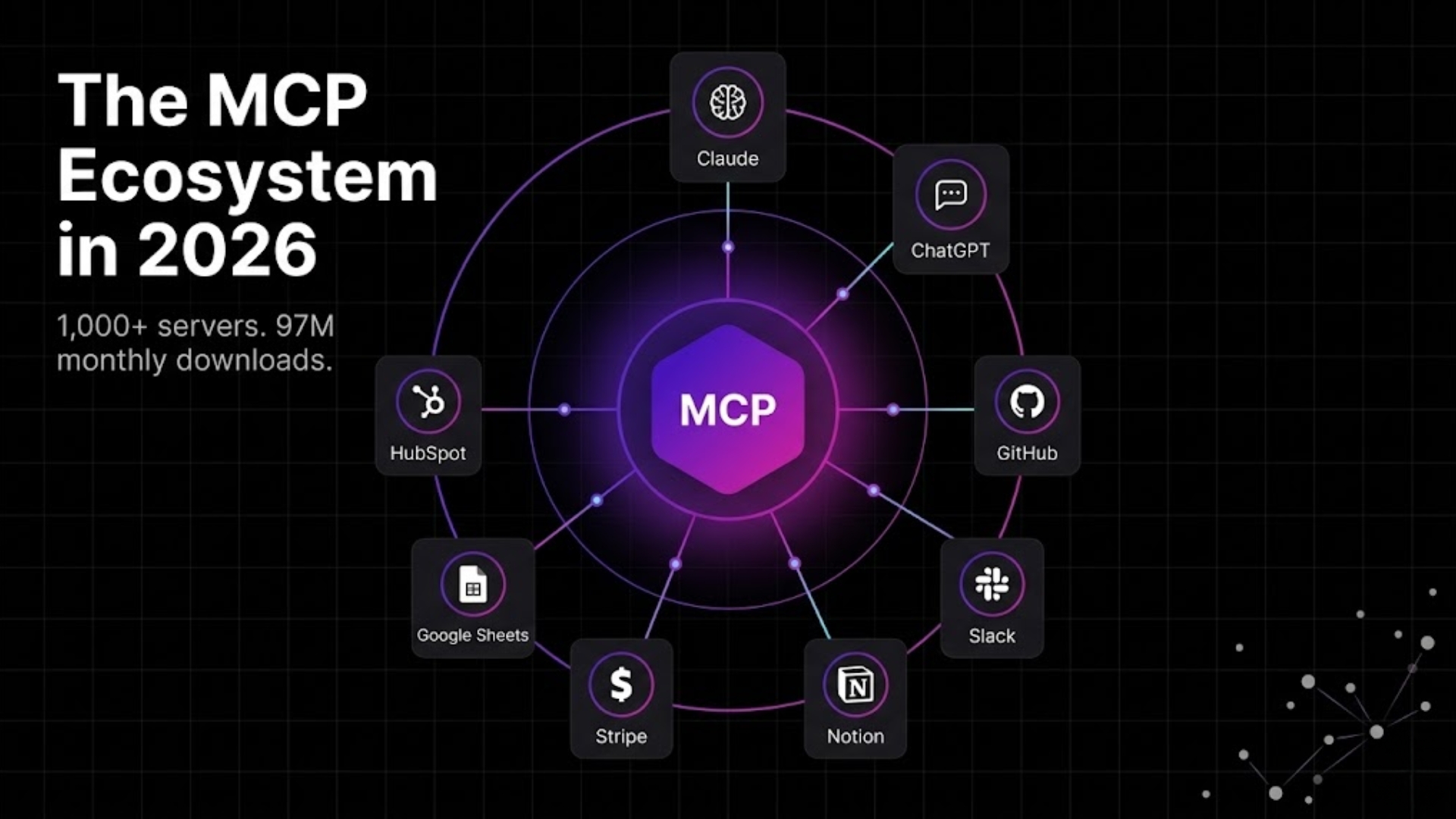
What is Model Context Protocol (MCP)?
Before MCP, every AI agent needed custom integration code for every service.
Want to read Slack messages? Build a Custom Slack connector. Want to update GitHub issues? Build a GitHub connector. Add another tool, and then another. Pretty soon, you are spending more time on plumbing than on actual automation. No one wants that!
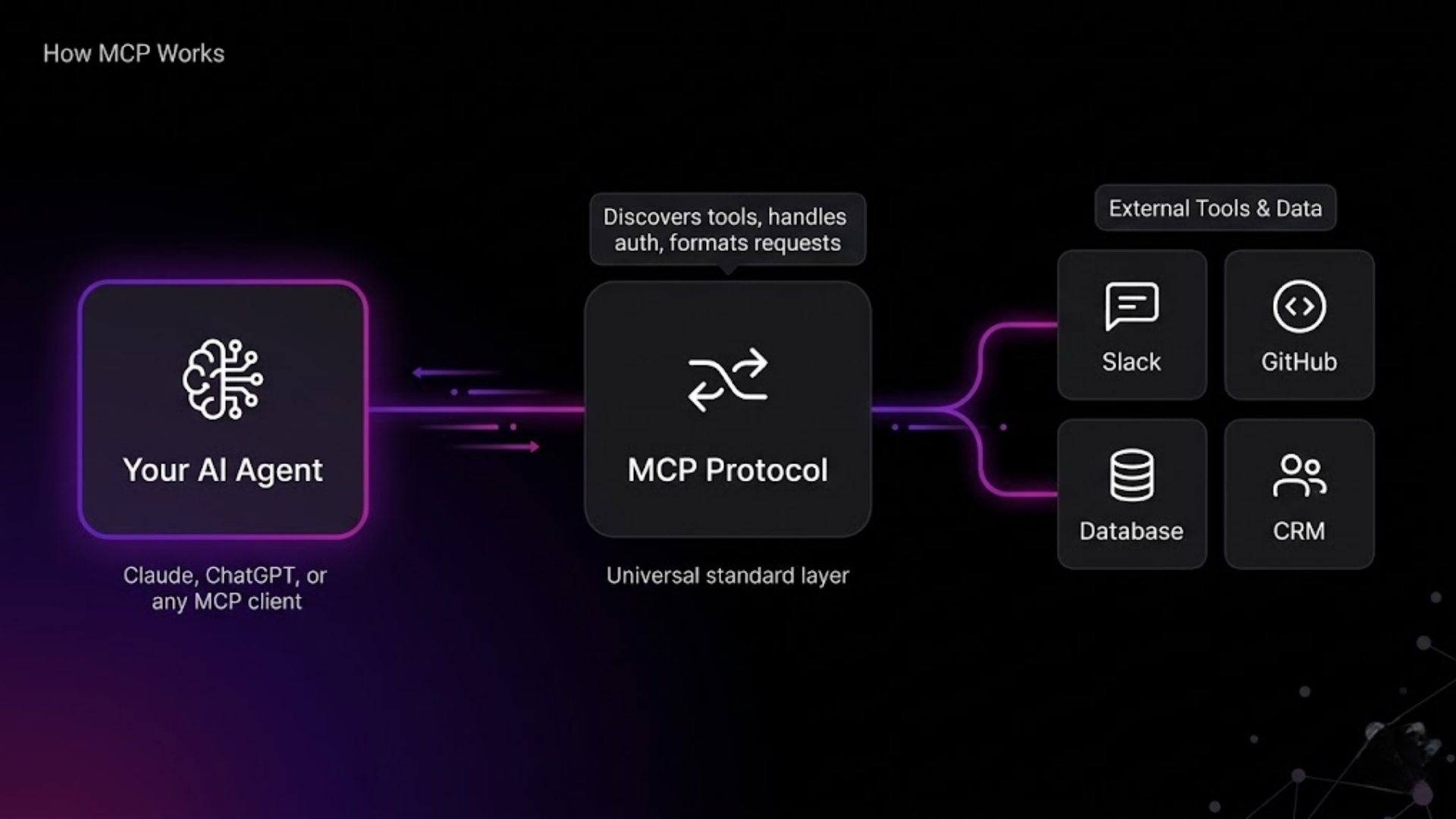
MCP solves that by standardizing how AI clients discover and interact with tools. An MCP server wraps a tool and exposes what that tool can do. The AI agent sends high-level requests like "create a ticket" or "search for this row," and the MCP server handles all the API details.
Anthropic (Claude) open-sourced MCP in late 2024. By December 2025, it moved to the Linux Foundation, which made the standard ecosystem-neutral.
Since then, OpenAI, Google, and Microsoft have all signaled support.
The result: more tool coverage, more reusable connectors, and a stronger base for AI workflows. A win for anyone who is rooting for AI's growth.
How MCP works in plain language
- Tool owners publish an MCP server for a service.
- The server advertises its capabilities and handles auth.
- Any MCP-compatible agent can connect to it.
- The agent asks the server to perform actions.
- The server then executes the tool-specific API call and gives the result.
That means your agent can ask "send this message to #Growth" without understanding Slack's API.
For a deeper technical dive, see the official MCP documentation.
Why MCP matters for AI workflows in 2026
Most real business workflows always span across multiple apps.
A lead generated through LinkedIn, lands in HubSpot, the team discusses about it in Slack, engineering tracks it in GitHub or Linear, and the report lands in Google Sheets.
Without MCP, your AI agent only works in one, defined app. With MCP, it has the ability to coordinate with several apps. MCP makes your AI agents smarter, more productive and a lot more useful.
What MCP gives you
- Real action, not just text: read CRM data, update spreadsheets, post Slack messages.
- Faster integration: reuse the same MCP server across platforms.
- Better orchestration: multiple agents can share tool access through the same protocol.
Why it is useful right now
- Most teams are using 3–5 tools per workflow.
- MCP reduces the number of custom connectors you need.
- MCP is backed by all major AI companies and governed by the ever reliable Linux Foundation.
Pro tip: Build an agent for the workflow, not for a single tool. MCP makes the fifth integration much easier than the first.
How real tools use MCP today
Here are the practical MCP stories that matter.
Claude MCP
Anthropic's Claude was one of the first models to support MCP natively. That means Claude can connect to documents, databases, APIs, and apps in a single session.
Real example: A founder asks Claude to pull last week's Stripe revenue, compare it to the forecast in Google Sheets, and draft a board update in Notion. With MCP, Claude can do all three in one flow.
That is the kind of workflow that turns an AI assistant into an operator.
GitHub MCP
The GitHub MCP server is very popular with engineering and dev teams. It allows agents to manage repos, review PRs, create issues, and search code. It can be useful if you're looking for an assistant for all your repos
Real example: An automation agent detects idle pull requests, notifies the assignee in Slack, and writes a summary into the weekly standup document.
That workflow removes manual follow-up and keeps engineering work moving.
Slack MCP
Slack MCP turns Slack into an automation surface.
Real example: An agent scans #customer-feedback for phrases like "bug" or "can't access," creates a ticket in Linear, and replies in the thread with a confirmation.
Mistake to avoid: only grant MCP access to the channels your workflow actually needs. Too much access raises token costs and can reduce performance.
Other MCP servers to know
- Notion MCP: content and document workflows.
- Google Sheets MCP: reporting and data updates.
- HubSpot MCP: CRM automation.
- Stripe MCP: revenue and subscription intelligence.
- Supabase/Postgres MCP: direct database access.
Community directories like the MCP server registry are the best place to see what is available.
Is MCP dying? The honest answer
No — but the hype did pass ahead of maturity.
Many people wrote MCP off after early production problems. Those complaints are real: security gaps, token overhead, and complexity. But the market signals show the protocol is still growing.
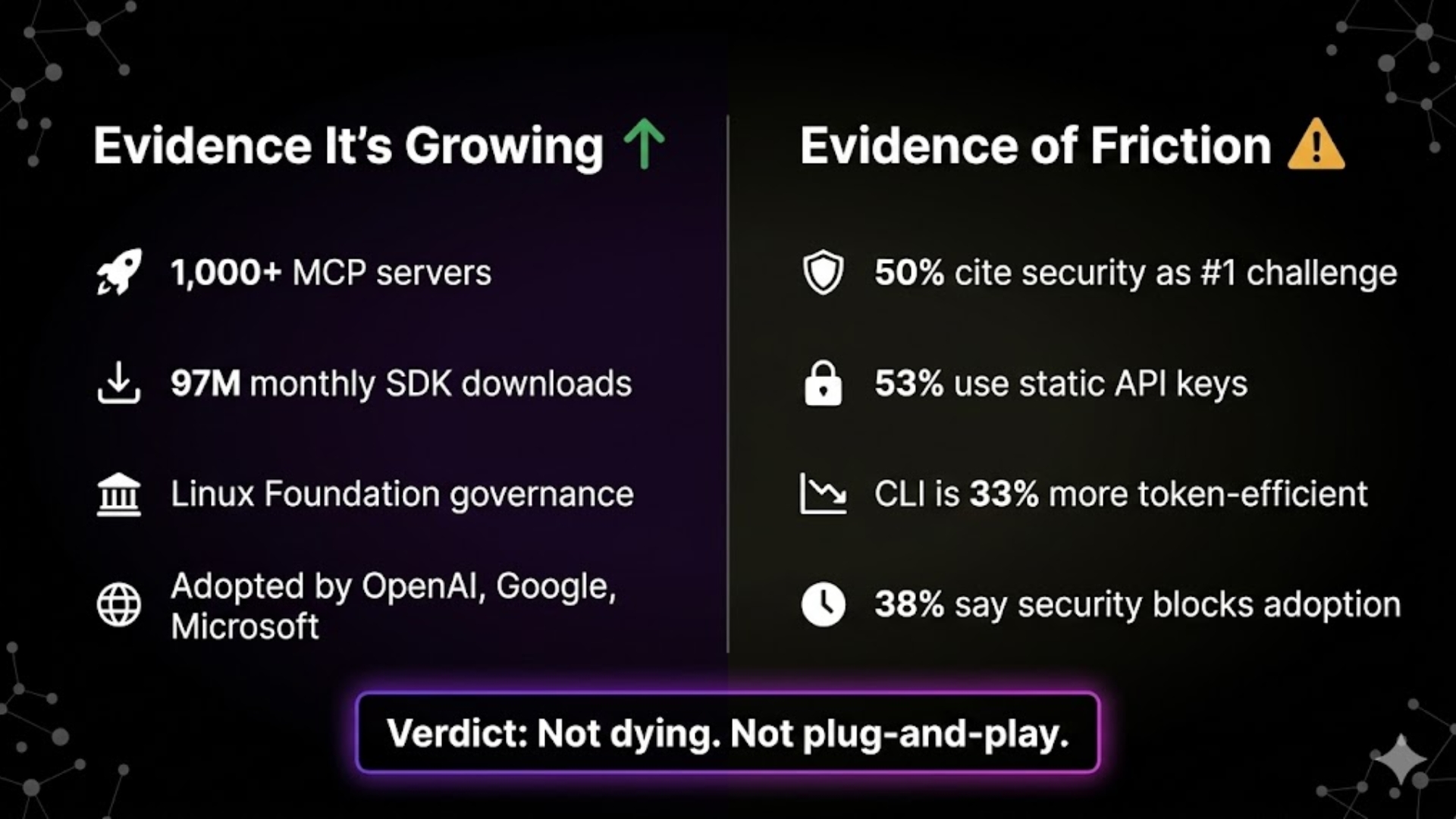
Growth signals
- More than 1,000 MCP servers exist.
- 97M SDK downloads per month.
- Linux Foundation governance since December 2025.
- OpenAI, Google, and Microsoft all support MCP.
Why people are still cautious
- 50% of builders say security is their top challenge.
- 53% of MCP servers rely on static API keys.
- Some simple automation tasks are still more token-efficient with CLI-style approaches.
What this means for you
MCP is not dead. It is a useful infrastructure layer, especially when your workflows need multiple tools. But it is also not a turnkey replacement for good architecture and security practices.
In practice, most teams are better off using platforms that handle MCP for them, rather than building the whole stack themselves.
MCP vs APIs vs plugins
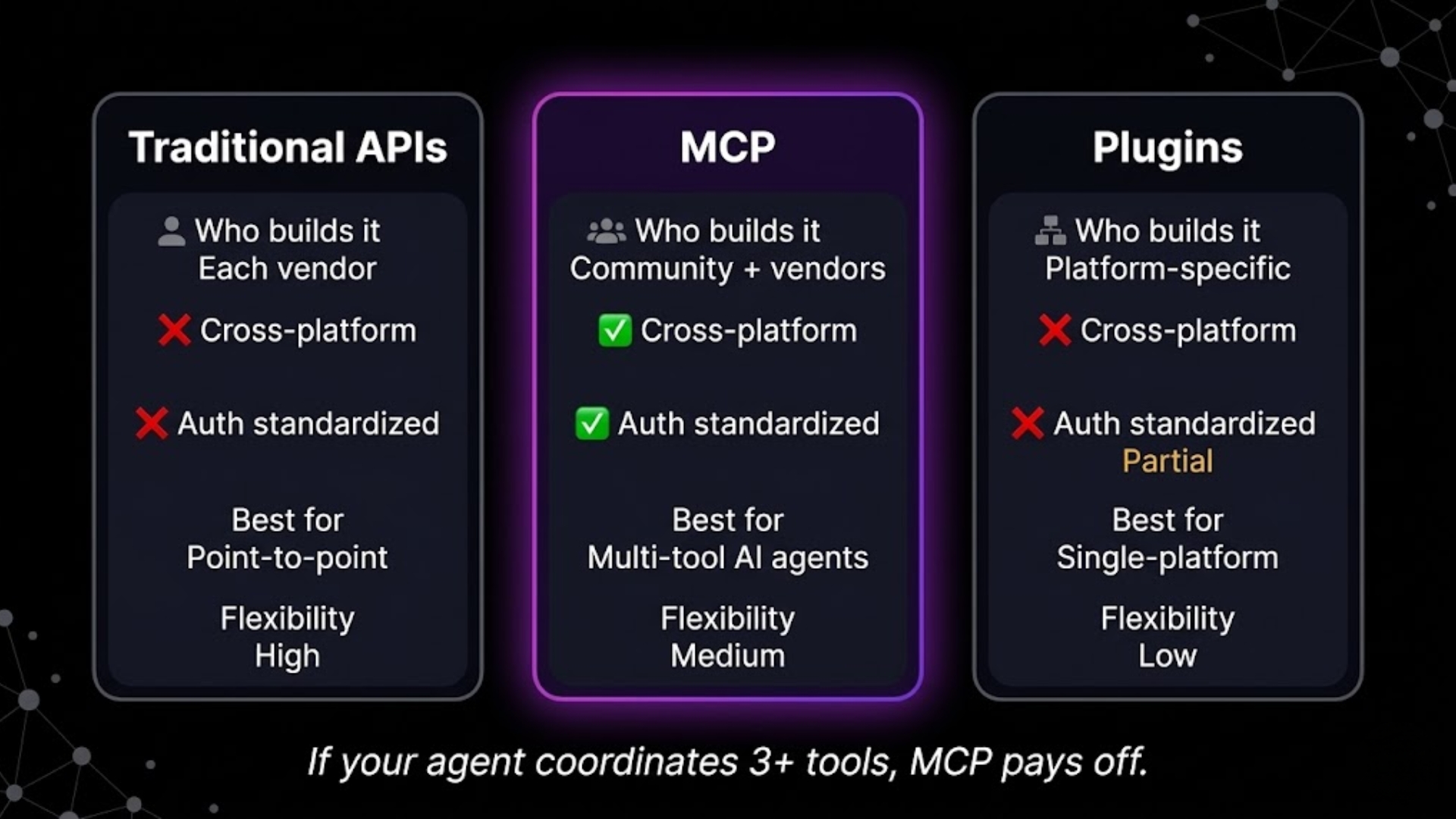
MCP is not a replacement for APIs. It is a way to standardize access to tools for AI agents.
| Traditional APIs | MCP | Plugins (e.g. ChatGPT Plugins) | |
|---|---|---|---|
| Who builds it | Each vendor | Community + vendors | Platform-specific |
| Reusable across AI platforms | No | Yes | No |
| Auth-discovery standard | No | Yes | Partially |
| Best for | Single integrations | Multi-tool AI workflows | Single-platform extensions |
| Flexibility | High | Medium | Low |
How to choose
- One tool? Use a direct API.
- Three or more tools? MCP is often worth it.
- Stuck on one AI platform? Plugins may be enough until you need portability.
How to start with MCP without writing code
You have three practical options.
Option 1: Use an MCP-ready platform
This is the fastest path for non-technical teams. Platforms like SketricGen let you connect tools visually, while MCP runs in the background.
Why it works:
- You don't write protocol code.
- You get pre-built connectors.
- You can build workflows through a UI.
Option 2: Use pre-built MCP servers
If you are technical but don't want to build servers, use existing MCP servers for tools you need. Install the server, connect your MCP client, and map your workflow.
Option 3: Build your own MCP server
If your tool isn't covered yet, building your own server is the option for technical teams. The official MCP docs have the guides you need.
What to look for in an MCP platform
- True native MCP support
- Pre-built connectors for your key apps
- Visual workflow builder
- Trace and debug tools
- Multi-agent orchestration support
If you want to move fast, use a platform that abstracts MCP. If you want full control, self-host the server.
What to do next
MCP is the infrastructure layer that turns AI from a text generator into a workflow engine.
If you are evaluating AI agent platforms, prioritize:
- whether the platform supports MCP natively
- how many key tools it already connects to
- whether it provides traceability and security controls
If you want to skip infrastructure pain, use a platform that already handles MCP for you.
FAQs
MCP is an open standard that lets AI agents connect to external tools like Slack, GitHub, databases, and CRMs through a single shared protocol.
No. MCP sits on top of APIs. It standardizes discovery and interaction, but the underlying tool access still uses APIs.
Not if you use a platform that handles it. If your workflow needs a server that doesn't exist yet, then yes — you will need some development.
The most popular ones include GitHub, Slack, Supabase/Postgres, Firecrawl, and E2B. Directories on the MCP website track new servers.
The protocol is fine. The risk comes from bad implementations, especially servers using static API keys. Production use should include strong auth, credential rotation, and platform-level security.
Yes. MCP is model-agnostic: a server built for one compatible agent can work with another, as long as both support the protocol.
Related blogs
View more
AI-Proof Jobs in 2026: What the Data Actually Shows
ai trends and research
What Is AI Agent Orchestration? A Plain-English Guide (2026)
ai trends and research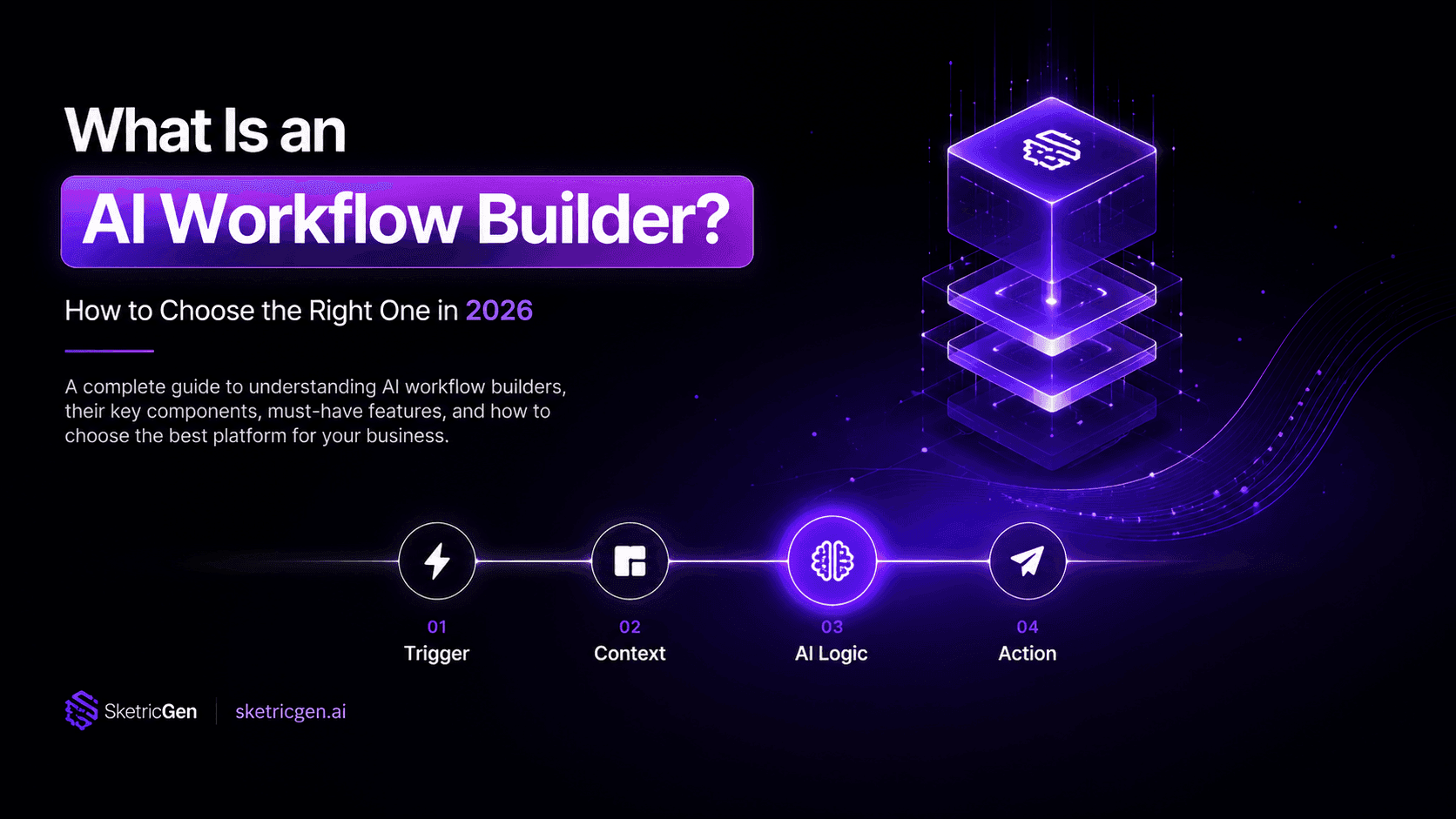
What Is an AI Workflow Builder? How to Choose the Right One in 2026
ai trends and research
87% of Small Businesses Use AI. Only 14% Have It Running Their Business.
ai trends and research
What Is Collaborative AI? The Future of AI in Team Collaboration (2026)
ai trends and research